Key Takeaways
Search for workflow automation software and you will find dozens of tools. They all promise to save time. Their demos all look smooth. That is what makes the choice so hard.
A wrong pick costs more than the price tag. Your team spends weeks on setup. People learn the tool, then stop using it. The work slides back to email and spreadsheets.
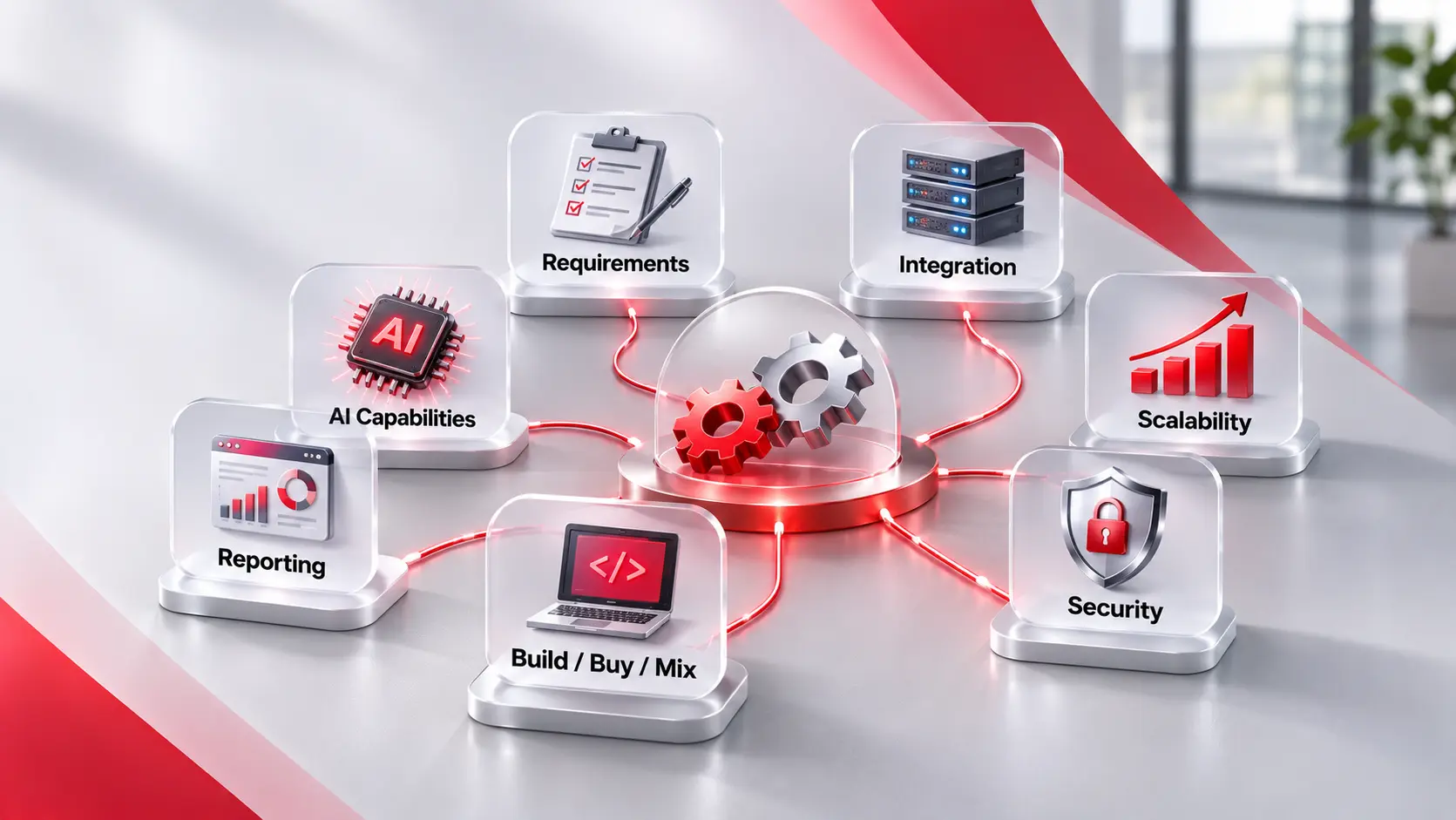
This guide helps you choose workflow automation software with less guessing. It explains what the tools do. Then it walks through six checks: requirements, integration, scalability, security, reporting, and build versus buy. You also get a simple scorecard, a list of hidden costs, and a plan for making the final call.
A workflow is a set of steps that work follows. A leave request is a good example. An employee asks, a manager approves, and HR updates a record. Workflow automation software runs those steps for you. It passes work from person to person, sends reminders, and updates other tools, so nobody types the same thing twice.
The tools come in a few kinds:
Many products mix two or three of these. So do not choose by label. Choose by the job you need done.
These six checks cover most of what goes wrong. Go through them in order.
Most bad choices start with a feature list. Start with the work instead. Pick one workflow that hurts today. Draw its steps on paper. Note who does each step, what data moves, and where it gets stuck. Then add the rules. Who approves? What happens when something is wrong?
Next, make two lists. A “must have” is something the process cannot live without. A “nice to have” is not. Be strict. If everything is a must have, every tool will look bad. If nothing is, every tool will look good.
Also count the size of the job: how many items a day, how many people, how many steps. Our post on why failed tech projects share one root cause shows why this step matters.
Automation only helps if data can move. List the tools you use now, such as your CRM, accounting system, email, and support desk. Then ask three questions:
An API is a way for two tools to talk to each other. Good software has a well-written API, so a developer can build any missing link. Ask about webhooks too. A webhook lets one tool tell another the moment something happens.
Old systems are the hard case. If one has no API, you may need extra work or a data integration layer. Do not take the vendor’s word for it. Ask them to connect your real system during the trial, not a sample one.
A tool that handles ten jobs a day may struggle with ten thousand. Scalability means it keeps working as you grow. Ask about limits: tasks per month, number of users, steps per workflow, and speed when busy.
Then look at the price. Does the cost rise by user, by task, or by workflow? A plan that is cheap today can get costly when your volume triples. Ask for a price quote at three times your current size.
Think about growth in kind, too. Will more teams use it? Will you add approvals, AI steps, or new regions? And ask what happens when a step fails halfway. A strong tool retries, alerts a person, and keeps a record. A weak one stops without a sound.
Workflow tools touch your most important data, such as invoices, contracts, and customer records. Check these basics:
If the tool uses AI, ask one more thing. Is your data used to train its models, and can you turn that off? Get the answers in writing. Our guide to evaluating a technology partner without getting burned has more questions worth borrowing.
If you cannot see the work, you cannot improve it. Good software shows how many items are waiting, where work gets stuck, how long each step takes, and how often things fail. Look for dashboards, error alerts, and easy exports to your own reporting tools.
Ask whether you can build your own reports or only use fixed ones. Also make sure the numbers can be trusted.
You have three options:
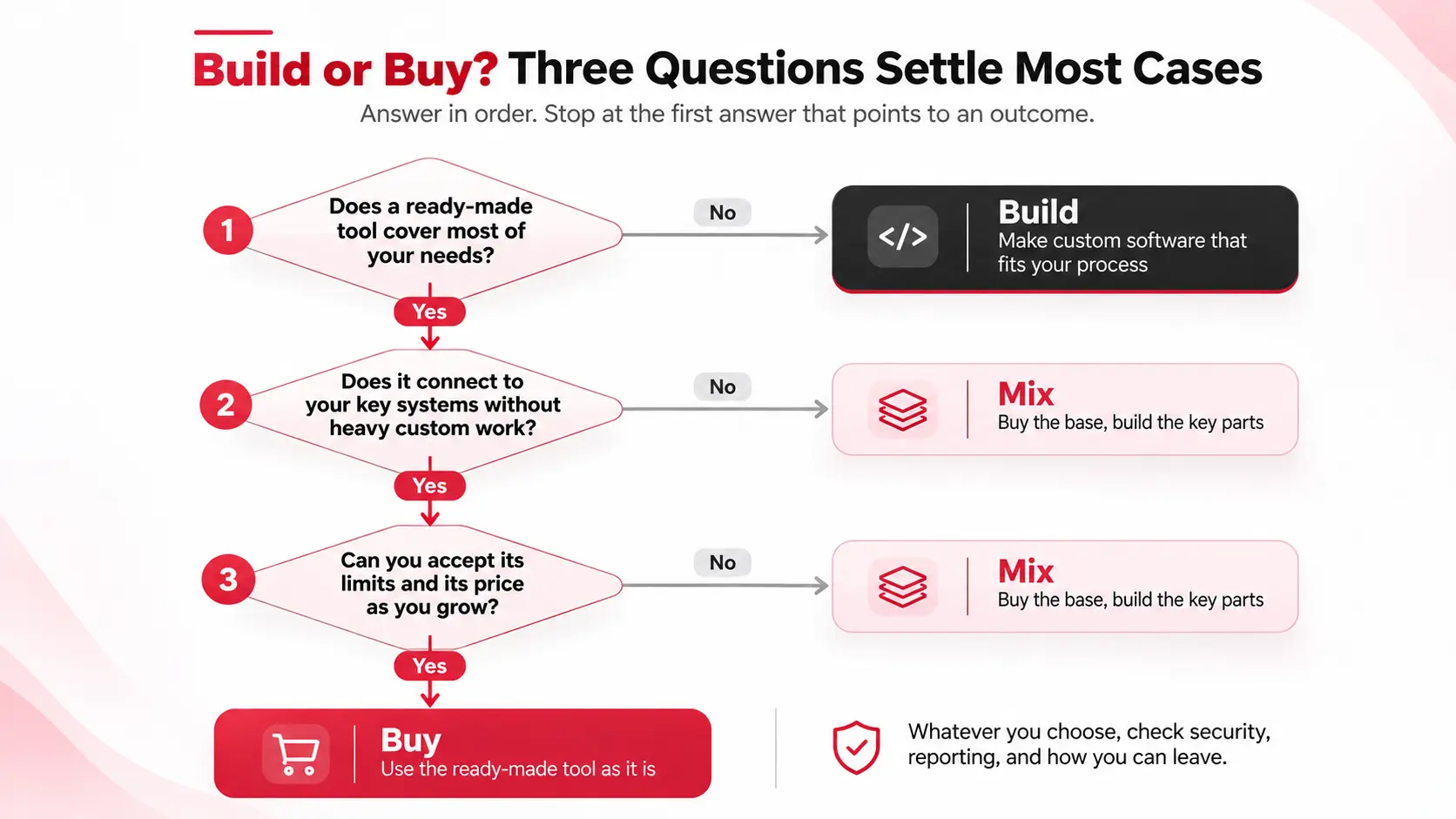
Look at the cost over several years, not just the first month. Buying has fees that grow with use. The building has upkeep. Neither one is free. Also ask about the exit. Can you take your workflows and data with you if you leave?
A scorecard turns opinions into evidence. List your must haves. Give each tool a score from 1 to 5 on every check. Add up the scores, and mark any deal breaker.
|
Check |
Ask this |
Warning sign |
| Requirements | Does it handle our must haves without workarounds? | Core steps need hacks |
| Integration | Does it connect to our tools in both directions? | Only one-way or manual imports |
| Scalability | What are the limits, and how does price change? | Hidden caps and price jumps |
| Security | Does it offer roles, SSO, encryption, logs, and audit reports? | Vague answers, no report |
| Reporting | Can we see delays, errors, and time saved? | Fixed reports only |
| Build vs buy | What is the cost over several years, and can we leave? | No export, locked in |
Give every vendor the same real example from your work. Then score what you see, not what you are told.
The price on the website is rarely the full cost. Watch for these:
The most common mistakes are about people and process, not software:
A Simple Plan to Decide
Choosing workflow automation software gets easier when you stop comparing features and start comparing fit. Know the job. Check integration, growth, security, and reporting. Count the real cost. Then decide whether to buy, build, or mix.
The best tool is the one your team will actually use. If you are weighing your options, Book a Discovery Call and bring your workflow list. We will help you sort out whether to buy, build, or mix, and how our AI and automation services would connect the result to your systems. If a ready-made tool is enough, we will say so.
Frequently Asked Questions
What is workflow automation software?
It is software that runs the steps of a work process for you. It passes tasks between people, sends reminders, and updates other tools, so less work is done by hand.
How much does workflow automation software cost?
Prices vary a lot. Common models charge per user, per task, or per workflow, and some charge a flat monthly fee. Ask for the full cost at your expected size, including setup and support.
Should I build or buy workflow automation software?
Buy when a ready-made tool covers most of your needs and connects to your systems. Build when your process is special. Many teams mix the two.
What is the difference between no-code and custom workflow automation?
No-code tools let non-programmers build workflows with ready-made blocks. Custom software is written for your exact process. No-code is faster to start. Custom gives more control.
How long does it take to set up?
A simple approval can run in days. Work that crosses many systems can take months. Start with one workflow and grow from there.
What should I ask a vendor before I buy?
Ask about limits and price at three times your size, connections to your tools, security reports, data export, and how AI features use your data. Also ask to run a real task from your work.

 AI & Automation
Key Takeaways It connects, not just automates. Value comes from linking systems, data, and decisions across a process, not from speeding up one step. AI handles messy input. Emails, PDFs, and chat messages can be read and routed. Rules-based tools and RPA need tidy, structured data. People stay in the loop where risk is high. […]
 AI, AI & Automation
Key Takeaways Every server is a door. Each MCP server you connect gives an agent a way into a system you own. Access is the main risk. The protocol connects tools. Your permissions decide what the agent can do. Check six things. Access scope, server source, local servers, token handling, destructive actions, and logging. Use […]
 AI & Automation
Key Takeaways A swarm is a design choice, not an upgrade. It is a group of agents that split a goal, and it pays off only when the work divides cleanly. More agents can lower results. Google Research found a large gain on parallel work and a 39% to 70% loss on step-by-step planning. Cost […]