
Years of delivery
Global projects
On Clutch
Client retention
Stage 2 becomes most relevant when the platform is stable enough to move forward, while surrounding systems and workflows remain fragmented. The goal is not to automate — it is to connect.
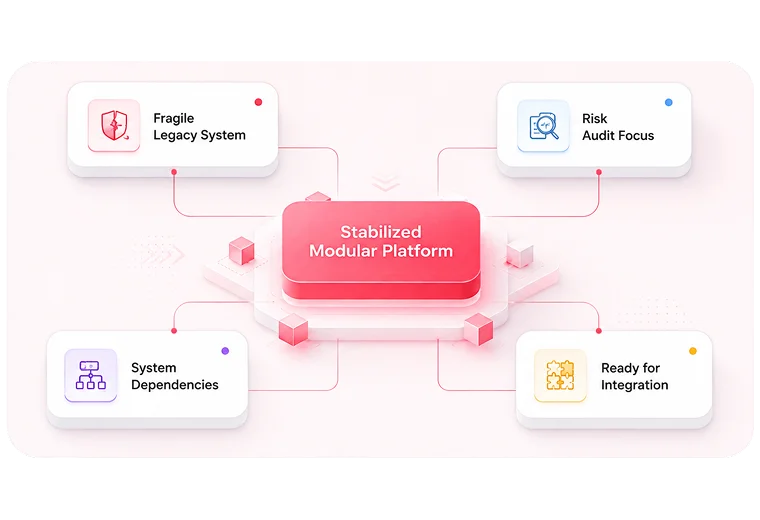
Stabilize fragile platforms and establish decision confidence before larger work begins.
Connect fragmented systems and reduce manual coordination across tools and teams. Current stage
Structure platforms so teams can operate consistently, safely, and visibly.
Automate responsive, measurable workflows once the operating foundation is ready.
These are the operating signals that point to Stage 2 as the right starting point. If two or more feel familiar, this stage is likely where your work begins.
CRM, billing, support, CMS, LMS, ERP, or analytics tools produce conflicting records.
Teams export CSVs, update spreadsheets, or copy data between systems to keep work moving.
Reports exist, but someone still has to notice, interpret, and follow up manually.
Approvals happen via Slack, email, or memory rather than through a reliable workflow.
No one is fully sure which system owns which record, status, or workflow step.
Leadership wants automation, but the current workflow is not stable or mapped enough yet.
Each constraint below represents a specific operating problem. Hover any row to focus it.
Start by understanding how work moves across people, tools, spreadsheets, approvals, and reporting paths. This shows where the real friction lives, not just where the symptoms appear.
Prioritize the systems and workflow steps that create the most manual effort, data conflict, or operational uncertainty. The right first connection should be useful, visible, and maintainable.
Make sure ownership, data flow, and decision rules are clear before automating the workflow. Automation is more reliable when the workflow is already well understood.
Start with one practical improvement the team can see, use, and learn from before expanding the integration layer.
Focused starting points. No oversized scope. Every package begins with a clear diagnostic before anything gets built, connected, or automated.
Helps leadership and operators see how work actually moves today — not how the process was originally intended to work. That visibility makes the next integration decision safer and easier to explain.
The right next step when the system relationship is already clear and a single practical connection can remove visible drag. CRM to billing, CMS to analytics, intake forms to internal systems.
Best when reporting exists but leadership does not consistently trust or act on it. Improves how operational data surfaces across platforms and teams.
Growth increases the complexity of onboarding, provisioning, support, renewal, and reporting. Without better system coordination, the team ends up doing more manual work as the customer base grows.
Lean teams need better coordination across departments without creating more governance confusion or adding more manual follow-up.
Trust, continuity, access control, and operational clarity matter before deeper automation or portal expansion.
LN Webworks helps organizations connect fragmented systems without turning integration into a heavy transformation program. We focus on workflow clarity, system connectivity, and operational visibility — connecting what matters and reducing avoidable manual effort.
Nu Mobile: 50% faster product launch cycle · 99.9% uptime · Nearly half the manual workload reduced · Stronger foundation for future digital expansion.
Verified Delivery Outcome
Systems integration connects the tools, data, and workflows an organization depends on, enabling work to move more reliably across teams and systems.
Usually, integrate first. Automation works better when systems, ownership, data flow, and workflow rules are clear enough to trust.
A Workflow Mapping Session is the safest first step when the problem is broad or unclear. A Connector Implementation Sprint is more effective when the specific systems and workflows are already understood.
Not always. The best path may use existing connectors, configuration, lightweight API work, or focused custom development depending on the workflow, data movement, and long-term maintainability.
Once platform risk is clearer and critical dependencies are mapped, Stage 2 — Systems Integration — becomes the natural next step.
Once systems and workflows are more connected, the next stage is often Digital Operations: stronger governance, ownership, reporting, and structured execution.
A Workflow Mapping Session gives your team a clear picture of where work breaks down, which systems need to connect, and what to fix first.