

Workflow Automation
Your systems are connected and your operations are structured. Stage 4 turns trusted signals into timely action automating repetitive follow-through, routing work intelligently, and creating measurable workflows that scale.
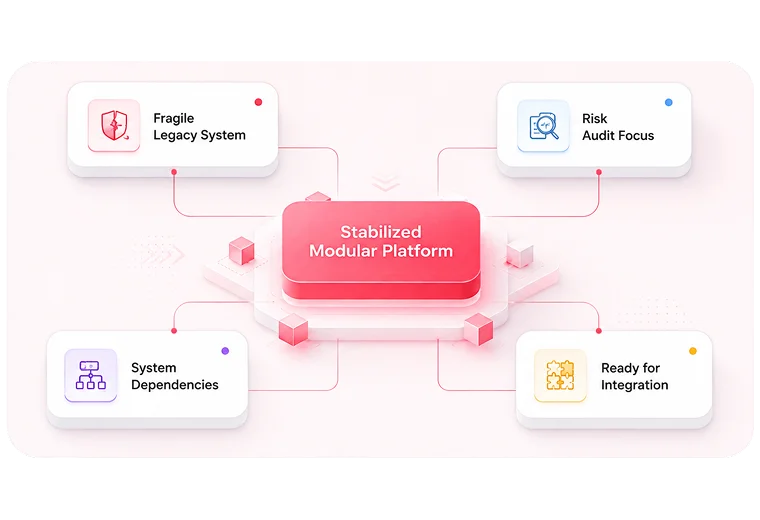
Stage 4 turns established digital operations into responsive workflows. With stable platforms, connected systems, and clear governance in place, trusted signals can now trigger timely, measurable action.
Reduce platform fragility, technical debt, and risk so the underlying environment can support future operational change.
Connect platforms, data, and business tools so information can move reliably across the organization.
Establish clear ownership, governance, permissions, and repeatable processes so teams can operate consistently.
Use trusted events and operational signals to trigger actions, route work, reduce manual follow-through, and create measurable workflows.
These signals suggest your operational foundation is ready for automation. If two or more feel familiar, Stage 4 can help turn repetitive work and operational triggers into reliable, measurable workflows.
Teams repeatedly perform the same predictable tasks, updates, handoffs, or follow-ups that could be triggered automatically.

Processes depend on people moving information between systems, assigning tasks, or notifying the next person manually.

Important events occur across your systems, but actions depend on someone noticing them and responding at the right time.

As transaction, customer, or operational volume increases, teams need more manual effort just to keep existing processes moving.

Teams use isolated scripts, rules, or automations, but there is limited visibility into ownership, failures, performance, and business impact.

Workflow automation is not about automating everything. It’s about removing repetitive work, reducing response delays, and building reliable workflows that scale without sacrificing visibility or control.
Teams spend valuable hours on predictable data entry, updates, notifications, approvals, and follow-ups that can be automated safely.
Work stalls while information, approvals, or responsibilities move manually between people, departments, and systems.
Customer, operational, or system events require human monitoring, causing inconsistent responses and missed opportunities.
Increasing customers, transactions, and requests create proportionally more manual work, making growth expensive and difficult to sustain.
Isolated scripts and automation tools operate without centralized ownership, monitoring, exception handling, or measurable performance.
We follow a disciplined three-step approach to identify high-value automation opportunities, engineer reliable workflows, and scale automation without sacrificing visibility, governance, or control.
Map repetitive tasks, manual handoffs, delays, approvals, and event-driven processes. Prioritize workflows where automation can create measurable operational value without introducing unnecessary complexity.
Define triggers, business rules, system actions, exception paths, approvals, and ownership before implementation. Every workflow is designed to behave predictably across systems and teams.
Deploy workflows incrementally, monitor execution and exceptions, and measure time saved, response speed, accuracy, and operational impact before expanding automation further.
We deliver focused automation engagements that remove operational friction, accelerate response times, and prove measurable value before you scale.
Recommended Starting Point
Identify repetitive tasks, manual handoffs, approval delays, and high-value automation opportunities across your operations. We map workflows and prioritize where automation can create the greatest impact with the lowest operational risk.
Workflow opportunity map, automation priority matrix, process dependencies, ROI opportunities, and a phased automation roadmap.
Automate a focused, high-impact business process by connecting triggers, rules, approvals, notifications, and system actions into one reliable workflow.
Production-ready automated workflow, business rules, exception handling, monitoring setup, and performance metrics.
Connect workflows across your existing platforms so information and actions move automatically between systems without repetitive manual handoffs.
Cross-system workflow architecture, automated data handoffs, API-triggered actions, failure handling, and workflow monitoring.
Automation needs vary across industries. See how Stage 4 helps organizations eliminate repetitive work, accelerate handoffs, and build reliable workflows around their existing systems.
As SaaS and platform businesses grow, onboarding, billing events, support requests, account changes, and internal processes create more operational work. Stage 4 automates these repeatable workflows so teams can scale without increasing manual overhead.
Admissions, enrollment, student services, approvals, and administrative workflows often span multiple departments and systems. Stage 4 helps automate predictable handoffs and notifications while keeping teams informed and in control.
Healthcare organizations manage high volumes of scheduling, intake, administrative routing, approvals, and follow-ups. Stage 4 automates appropriate operational workflows while maintaining clear ownership, visibility, and exception handling.
As order volume grows, teams spend increasing time managing exceptions, fulfillment updates, inventory events, returns, and customer communications. Stage 4 turns these predictable events into automated workflows.
Editorial and publishing teams coordinate content across writers, editors, reviewers, platforms, and distribution channels. Stage 4 automates repetitive workflow steps so content moves faster without losing visibility or control.
We automate where it creates measurable operational value—building reliable, governed workflows while keeping people in control of critical decisions.
Everything you need to know about building structured, scalable digital operations.
You are likely ready when your core platforms are stable, systems are connected, processes have clear owners, and teams repeatedly handle predictable tasks, handoffs, approvals, or follow-ups. A Workflow Automation Audit can confirm readiness and identify the best opportunities to automate first.
We prioritize high-volume, repetitive workflows with clear triggers, rules, owners, and outcomes. The strongest starting points usually involve manual data entry, routine notifications, approval routing, cross-system handoffs, or time-sensitive follow-ups where automation can produce measurable value with controlled risk.
Not necessarily. Stage 4 is designed to work with your existing platforms wherever practical. We connect systems through APIs, native integrations, workflow platforms, or purpose-built services so actions and information can move automatically without forcing an unnecessary platform replacement.
Yes. We often begin with one focused, high-friction process through a Process Automation Sprint. This allows you to validate the workflow, measure time saved and response improvements, resolve exceptions, and build confidence before extending automation to other teams or processes.
Every workflow is designed with defined triggers, business rules, ownership, permissions, monitoring, auditability, exception paths, and human approval points where needed. We also test failure scenarios so teams know what happens when data is incomplete, a system is unavailable, or an action requires review.
It can use either, depending on the workflow. Predictable processes are usually better suited to transparent rule-based automation, while AI may support tasks such as classification, extraction, prioritization, or content assistance. We use AI only where it adds clear value and include appropriate human oversight for higher-risk decisions.
Exceptions are designed into the workflow from the start. Depending on the situation, the system can retry an action, notify the responsible person, route the case for review, or pause the workflow safely. Monitoring and logs provide visibility into what happened, what was affected, and what action is required.
Depending on the scope, you can expect a prioritized automation roadmap, documented workflow architecture, production-ready automations, connected system actions, business rules, approval and exception paths, monitoring, and performance measures covering time saved, response speed, accuracy, and operational impact.