

Data, Integration & Workflow Foundations

Your tools may work on their own, but the operation slows down when systems do not coordinate. LN Webworks connects the data, integration, and workflow foundations that allow tools, teams, and information to operate together reliably.

Schedule a Workflow Mapping Session

Service Snapshot AI & Automation

BEST FOR

Teams ready to stop catching things and start automating them.

PRIMARY CTA

Schedule a Workflow Mapping Session

ENTRY OFFER

Workflow Mapping Session

DPF FIT

Lifecycle Automation Sprint: 4–8 weeks

MODELS

12–24 weeks depending on workflows and data layer

12+

Years of delivery

1,000+

Global projects

4.9★

On Clutch

95%

Client retention

When Systems Do Not Coordinate, People Become the Integration Layer

There is a difference between a model that performs in isolation and an automation that holds the operation inside. Most AI initiatives stall because the data, workflows, or system ownership were not ready — not because the AI itself was wrong.

Problem

  • Your CRM, billing, support, CMS, LMS, ERP, or analytics tools do not agree
  • Teams export CSVs, update spreadsheets, or copy data between systems
  • Reports exist, but someone still has to notice, interpret, and follow up manually
  • Approvals happen via Slack, email, or memory
  • No one is fully sure which system owns which record or status
  • Leadership wants automation, but the workflow is not stable enough yet

What It Looks Like

  • Teams reconcile conflicting records manually instead of acting on them
  • Critical workflow steps live outside the actual systems — visibility drops as scale grows
  • Reporting is passive, not operational
  • No reliable workflow exists — progress depends on people remembering to act
  • Reporting becomes contested and decisions depend on manual interpretation
  • The foundation was not ready before the automation conversation started

Data, Integration & Workflow Foundations by LN Webworks

This service area creates the data, integration, and workflow foundations that allow tools, teams, and information to operate together reliably. The goal is not more dashboards or more tools. It is fewer manual handoffs, fewer disputed reports, and fewer hours lost to reconciliation. We connect what matters, retire what is redundant, and build the foundations that make later automation actually reliable.

What This Service Helps You Improve
  • Workflow clarity across people, tools, and systems.
  • System connectivity: CRM, billing, LMS, EHR, support, analytics, and more.
  • Operational visibility so teams see how work is moving, not just what happened.
  • Approval routing and governance workflows that scale.
  • Spreadsheet-based shadow infrastructure replaced with reliable systems.
  • Foundations that make later automation safe and reliable.
What This Service Is Not
  • A custom integration platform when off-the-shelf connectors work fine.
  • Dashboards as a substitute for operational follow-through.
  • Automation built on top of unmapped, unreliable workflows.
  • A data warehouse project disconnected from real operational decisions.
How LN Webworks’ Approach Differs

We start with the workflow, not the tool. Before any connector is built, we map how work actually moves — across people, spreadsheets, approvals, and reporting paths. That visibility makes every integration decision more focused and more likely to create real operational leverage. Connect before you automate. Structure before you move.

Built for Teams Where Coordination Has Become the Operating Model

SMB SaaS & Platform Companies

SMB SaaS & Platform Companies

Product, support, CRM, billing, onboarding, and lifecycle systems do not connect cleanly. As the customer base grows, manual coordination grows with it — unless the integration layer is built to scale.

SMB Higher Education Institutions

SMB Higher Education Institutions

CMS, LMS, admissions, student services, forms, events, and reporting workflows operate in separate environments. Lean teams cannot bridge them manually as enrollment and operational complexity grows.

SMB Healthcare & Digital Health

SMB Healthcare & Digital Health

Patient intake, provider workflows, support systems, care coordination, and reporting paths are often fragmented. Trust, continuity, access control, and operational clarity matter before deeper automation begins.

Where This Service Sits in Your Progression

Stage 2: Connect

When systems exist but do not coordinate

We map how work actually moves, identify the highest-value connections, and build them with continuity protected. The outcome is not more tools — it is a more reliable operational flow.

Recommended Entry Point
Workflow Mapping Session
Stage 3: Operate

When governance, approval routing, and reporting visibility need to mature

We design the governance and visibility infrastructure that turns connected systems into a real operating model — not just dashboards and Slack messages.

Recommended Entry Point
Approval Routing & Governance Workflow Design

What Changes After This Work

  • 1

    Work moves between systems and teams without depending on manual coordination at every step.

  • 2

    Teams stop spending hours reconciling what connected systems should have agreed on automatically.

  • 3

    Ownership of records, status, and reporting is documented and enforced — disputes stop.

  • 4

    Leadership sees how work is moving — not just what happened last quarter.

  • 5

    When workflows are mapped and connected, automation becomes safe and reliable.

  • 6

    Engineering and operations capacity returns to building, not bridging.

How We Sequence the Work

Where Most Integration Engagements Start

Workflow Mapping Session

Recommended First Step

Best when teams know coordination is slowing the business but the highest-value fix is unclear. Maps how work actually moves today — across people, tools, spreadsheets, approvals, and reporting paths.


1–2 weeks · Workflow landscape map, integration priority shortlist, recommended next step.

Connector Implementation Sprint

When the Connection Is Clear

Best when one system-to-system connection is already known to be the bottleneck. Builds one practical connection — CRM to billing, CMS to analytics, intake forms to internal systems — that removes visible operational drag.


4–8 weeks · One working connector, data flow documentation, foundation for expansion.

Operational Visibility Dashboard Sprint

When Reporting Does Not Trigger Action

Best when reporting exists but leadership does not consistently trust or act on it. Not more dashboards — better signal connected to clear ownership and follow-through.


4–6 weeks · Operational status view, signal-to-action mapping, ownership documentation.

Integration Work That Reduced Operational Drag

Workflow Mapping Session

Engagement What Was Found What Happened Next
Telecom platform (Nu Mobile) Fragmented ecommerce environment with manual data-entry burden and integration debt across Telstra and Telflow API integrations built · 50% faster product launch · ~50% manual workload reduced
SaaS workflow mapping Manual coordination gaps across onboarding, billing, and lifecycle management exposed Connector implementation sprint scoped to the three highest-impact connections
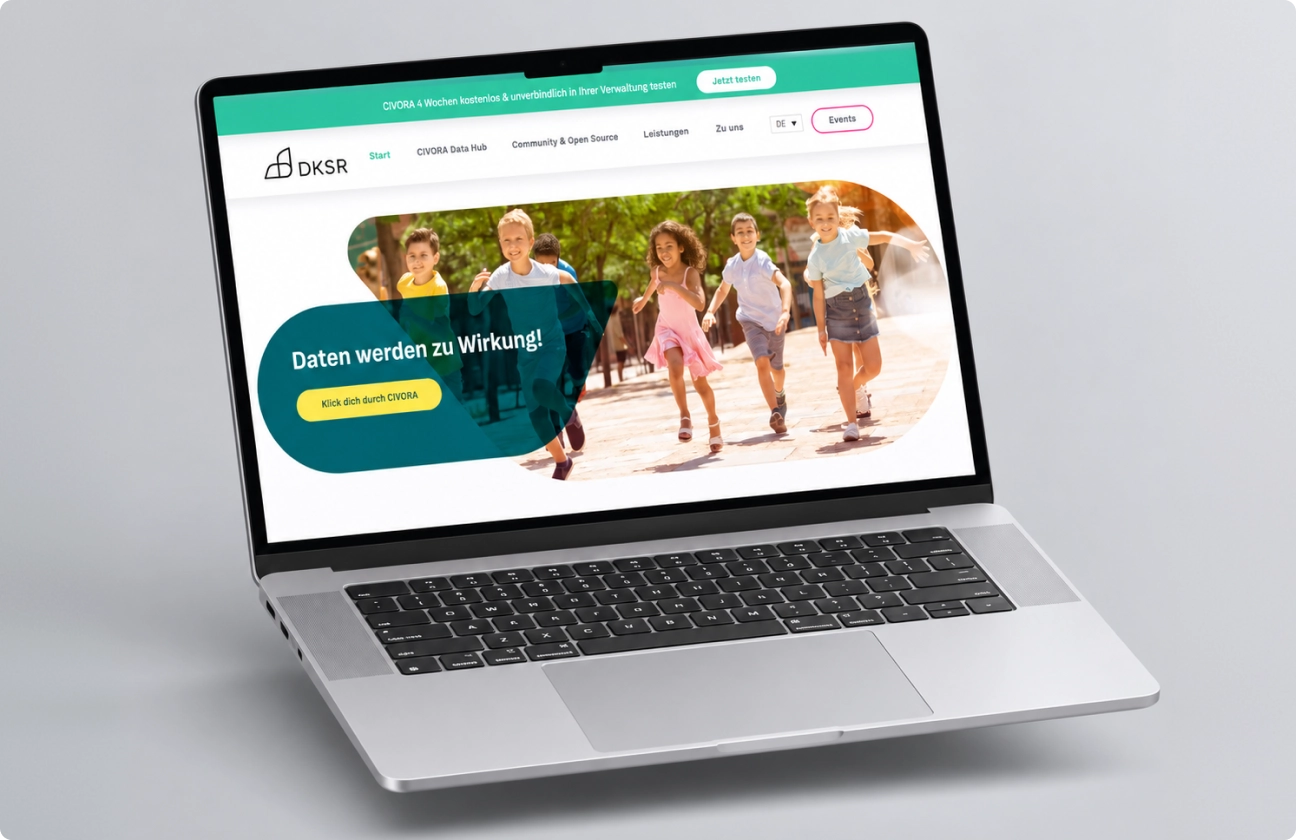
Civic platform (DKSR) Fragmented data and workflow layer across a multilingual civic platform Integration layer built with accessibility, governance, and long-term technical collaboration
Healthcare integration EHR, billing, and patient portal data lived in separate systems with manual reconciliation Integration layer designed with access boundaries and operational continuity preserved

You Are Likely in the Right Place If

A Workflow Mapping Session is the safest first step when the problem is broad or unclear. A Connector Implementation Sprint is more effective when one specific connection is already known to be the bottleneck.

We help organizations connect fragmented systems without turning integration into a heavy transformation program. We connect what matters, reduce avoidable manual effort, and build the foundations that make later automation actually reliable.

Schedule a Workflow Mapping Session

✔️
Your CRM, billing, support, CMS, LMS, or analytics tools produce conflicting records.
✔️
Teams export CSVs or update spreadsheets to keep work moving between systems.
✔️
Reports exist but follow-up is still entirely manual.
✔️
Approvals happen through Slack, email, or memory rather than a reliable workflow.
✔️
No one is fully sure which system owns which record, status, or workflow step.
✔️
Customers, students, or patients experience delays from poor system coordination.
✔️
Leadership wants automation, but the workflow underneath is not stable or mapped enough yet.

Frequently Asked
Questions

1. Should we automate first or integrate first?

Usually, integrate first. Automation works better when systems, ownership, data flow, and workflow rules are already clear and trusted. Automating before integration is solid tends to speed up the wrong thing or create harder-to-fix complexity.

Not always. Many connections are best built with existing connectors or lightweight API work. Custom development is recommended only when reliability, scale, or unique workflow logic justifies it. We are tooling-agnostic — the integration design matters more than the tool selection.

A 1–2 week diagnostic that maps how work actually moves today — across people, tools, spreadsheets, approvals, and reporting paths. The output is a workflow landscape map, system responsibility map, and integration priority shortlist with a recommended next step. It is the foundation for any integration work that follows.

Once systems and workflows are more connected, the next stage is often Digital Operations — stronger governance, ownership, reporting, and structured execution. In some cases, the next step is directly into Workflow Automation when the foundation is ready.

Start with a Workflow Mapping Session when the problem is broad or the highest-value connection is unclear. Start with a Connector Implementation Sprint when one specific system-to-system connection is already known to be creating the most drag.

Connect What Matters, Skip What Does Not

A Workflow Mapping Session shows how work actually moves today and which connections will create the most operational leverage — before any build commitment.

Privacy Overview

This website uses cookies so that we can provide you with the best user experience possible. Cookie information is stored in your browser and performs functions such as recognising you when you return to our website and helping our team to understand which sections of the website you find most interesting and useful.