PWA vs Native App: Which One Does Your Business Actually Need?
LN Webworks
·
28 Sep, 2026
A customer lands on your site from a search result, ready to buy. Before they can, a banner asks them to download your app. They do not want an app. They want to check out. That single moment of friction, repeated across millions of visits, is the exact problem a progressive web app was built to solve.
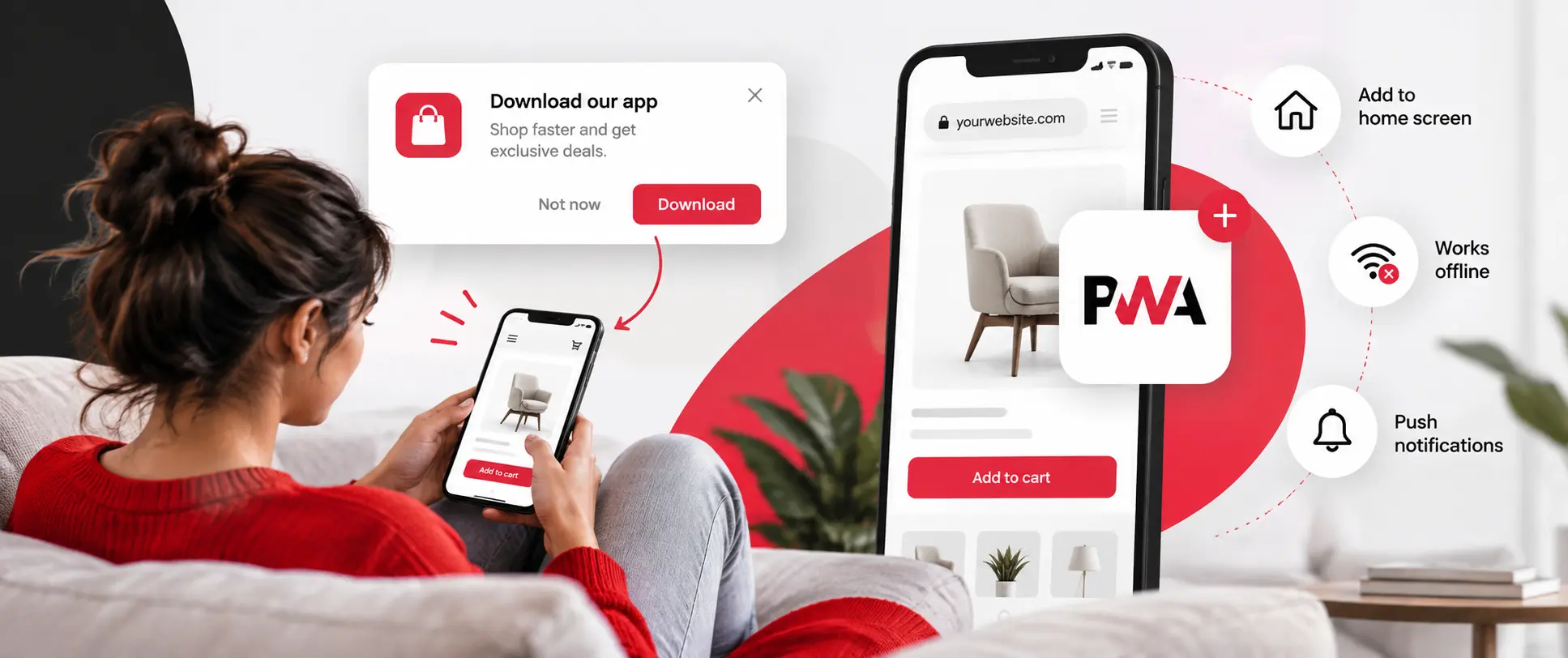
A progressive web app, or PWA, is a website built with modern web technology so it behaves like an app. A visitor can add it to their home screen. They can use it offline. They can receive push notifications. All of this happens without ever visiting an app store.
It looks like an app once installed, which is why the key elements of mobile interface design matter as much here as in a native app. Underneath, it is still a website. It runs in a browser and updates the moment you change it. No approval process stands between you and your users.
More than 60% of smartphone users say they avoid installing new apps altogether. A PWA sidesteps that resistance entirely. There is nothing to install in the traditional sense. It is just a website that offers to sit on the home screen if the visitor wants it there.
| Standard Website | Progressive Web App |
Native App |
|
|
Install friction |
None, but no home screen icon | Optional, one tap, no app store |
Full app store download and approval |
|
Works offline |
No | Yes, for cached content | Yes, fully |
| Push notifications | No | Yes |
Yes |
| Codebase | One | One |
Usually two, iOS and Android |
|
Apple App Store presence |
No | No |
Yes |
| Deep hardware access | No | Limited |
Full |
| Relative build cost | Lowest | Moderate |
Highest, often 2 to 3 times a PWA |
The pattern in that table explains why PWAs have become the default upgrade for a lot of businesses rather than a niche choice.
They close most of the gap between a plain website and a native app, at a fraction of the cost and none of the app store friction. But they do not close all of it.
Picture a small furniture retailer (think a scaled-down Pepperfry-style marketplace app) with a mobile website that converts poorly. Building a full native app for iOS and Android could take months and cost far more than the business can justify for what is still an uncertain payoff.
A PWA gets most of the same benefit, home screen presence, offline browsing of the catalog, push notifications for sale announcements, using the team already building the website anyway. That is the real appeal for most businesses this size, not the technology itself.
Alibaba reported a 76% increase in conversions after moving to a PWA.
Starbucks went further in a different direction.
It built a PWA that is roughly 99.84% smaller in file size than its native iOS app, while keeping the core ordering experience intact. Pinterest rebuilt its mobile experience as a PWA and reported a substantial jump in engagement and sign-ups. The exact figures vary depending on which metric and time period a given source cites.
These are individual company results, not a guaranteed formula. General studies on PWA performance report conversion improvements across a wide range. Results depend on industry, device mix, and how poor the starting experience was.
The honest takeaway is the direction, not a specific percentage. Businesses that replace a slow, install-resistant mobile experience with a fast, installable one tend to see real gains. Companies with the worst starting point tend to see the largest jump.
Apple does not list PWAs in the App Store, one of the benefits of iPhone app development for business that a PWA cannot match
For a business whose growth depends partly on App Store search and discovery, that is a real limitation a PWA cannot solve on its own.
A PWA also cannot reach every piece of phone hardware a native app can, things like deep Bluetooth integration, certain camera controls, or background processing that a native app handles natively.
None of this makes a PWA the wrong choice broadly. It means the decision depends on what the app actually needs to do, not on which option sounds more modern.
Whichever direction fits, the underlying performance work carries over either way.
A slow PWA fails for the same reasons a slow website fails, which is exactly the ground we covered in do Core Web Vitals actually affect revenue.
Speed is not a separate PWA feature. It is the foundation the entire experience sits on.
This decision also sits right next to a related one many teams face when picking a framework for the build itself, which we walked through in detail in how do you actually choose a mobile app framework.
If your business is weighing a PWA against a native build, or wondering whether your current mobile experience is quietly costing you conversions, that is worth a direct look.
Send us your situation, and our team will be happy to talk with you!

 Web Development
Most advice about Core Web Vitals treats them as a checkbox for search rankings. Fix the score, keep Google happy, move on. That framing misses what these metrics actually connect to, the same narrow lens we pushed back on in what actually changed between SEO and GEO. A handful of real companies have published what […]
 SEO and Content Strategy, Web Development
AI answer engines don’t read your website the way a person does. A person scrolls, skims, and reads things in context. An AI tool pulls out a single sentence or paragraph, often without ever showing your page at all. That difference changes what “good” actually looks like online. Most “AI-ready website” checklists repeat the same […]
 AI & Enterprise Strategy, Artificial Intelligence, SaaS Development, Web Development
A year ago, “vibe coding” was a term for weekend prototypes. It is not that anymore. Prompt-to-app platforms have made it possible to describe a working application in plain language and have one generated in minutes, and that capability has moved from novelty to default across a huge share of new software, including a meaningful […]