Key Takeaways
- A new channel does not break your catalog. It exposes how it was built. Most catalogs are really one channel’s data wearing a master label.
- Each channel wants a different version of the same product. Titles, categories, identifiers, and attributes all vary.
- Catalogs crack in three places. They are attributes, identifiers, and the fast-moving pair of price and stock.
- Fix the model before you buy a tool. Separate core product facts from channel-specific presentation, and decide where the truth lives.
- Audit twenty products before the next launch. It shows how much cleanup the channel really needs.
Your product catalog speaks one language. Every sales channel speaks another.
Your website wants rich descriptions and good photos. Shopping ads want short, plain titles and strict identifiers. A marketplace wants your product placed in its own category tree, with its own required fields. A wholesale buyer wants pack sizes and spec sheets. The product is the same. The sentence describing it has to change every time.
That is the heart of the multichannel catalog management challenges most growing retailers meet.
This article explains why each new channel seems to break the catalog, the three places it cracks, and how to fix the model before you add another channel. We build commerce platforms and the integrations around them, so we lean toward building. We will say when buying a tool is the better answer.
One Product, Many Shapes
Before looking at failures, it helps to see what each channel actually asks for. Below table shows the pattern. It is a summary, so check each channel’s current rules before you build.
| Channel |
What it wants |
Where it usually goes wrong |
| Your own store |
Rich copy, images, variants, SEO fields |
The record is shaped for display, not for reuse |
| Shopping ads |
Plain titles, brand, correct identifiers, price and stock that match the page |
Promotional titles, wrong or missing GTINs, stale prices |
| Marketplaces |
Their own categories, required attributes, and variant rules |
Your categories and attributes do not map one to one |
| Wholesale or B2B portal |
Pack sizes, tiered prices, spec and compliance data |
These fields live in the ERP or in spreadsheets, not in the catalog |
| Social and partner feeds |
A feed built from your product data, often with its own limits |
Feed rules differ and errors are found after launch |
Google’s product data specification is a good example. Titles are plain text with a 150-character limit, and promotional text such as “free shipping” is not allowed. Brand is required for new products. Price and availability must match your landing page and checkout. Marketplaces set their own data structures too, so one export rarely fits all of them.
Why the Catalog Breaks: It Was Built for One Channel
Here is the pattern we see. The business starts with a website. The product records on that site become the catalog, because they are the only ones that exist. Fields are shaped for display. Titles are written for shoppers, and categories follow the site menu.
Then a second channel arrives. Someone exports a spreadsheet and edits it to fit. A third channel brings a third copy. Soon the website, the ERP, two spreadsheets, and a marketplace dashboard all hold a version of the truth, and people edit whichever one is nearest.
If you see any of these, this is usually the root issue:
- The same product has different titles on different channels
- Prices or stock levels disagree, or oversells happen after a sale
- Variants appear differently, or images go missing on one channel
- Adding a channel means weeks of spreadsheet work
- Nobody can say which system holds the correct description
Three Places Catalogs Crack
1. Attributes
The same fact is stored in different shapes. Size is “M” in one place, “Medium” in another, and “38” in a third. A channel that expects a fixed list of values rejects or misplaces the product. The fix is a single list of allowed values, with a mapping to what each channel expects.
2. Identifiers and variants
Your SKU, the manufacturer’s GTIN, the MPN, and each channel’s own listing ID are four different things. Google says an incorrect GTIN or MPN will get a product disapproved, and that MPN is needed when no GTIN exists. When variants are modeled differently from one channel to the next, the same shirt becomes six listings in one place and one in another.
3. Price and stock
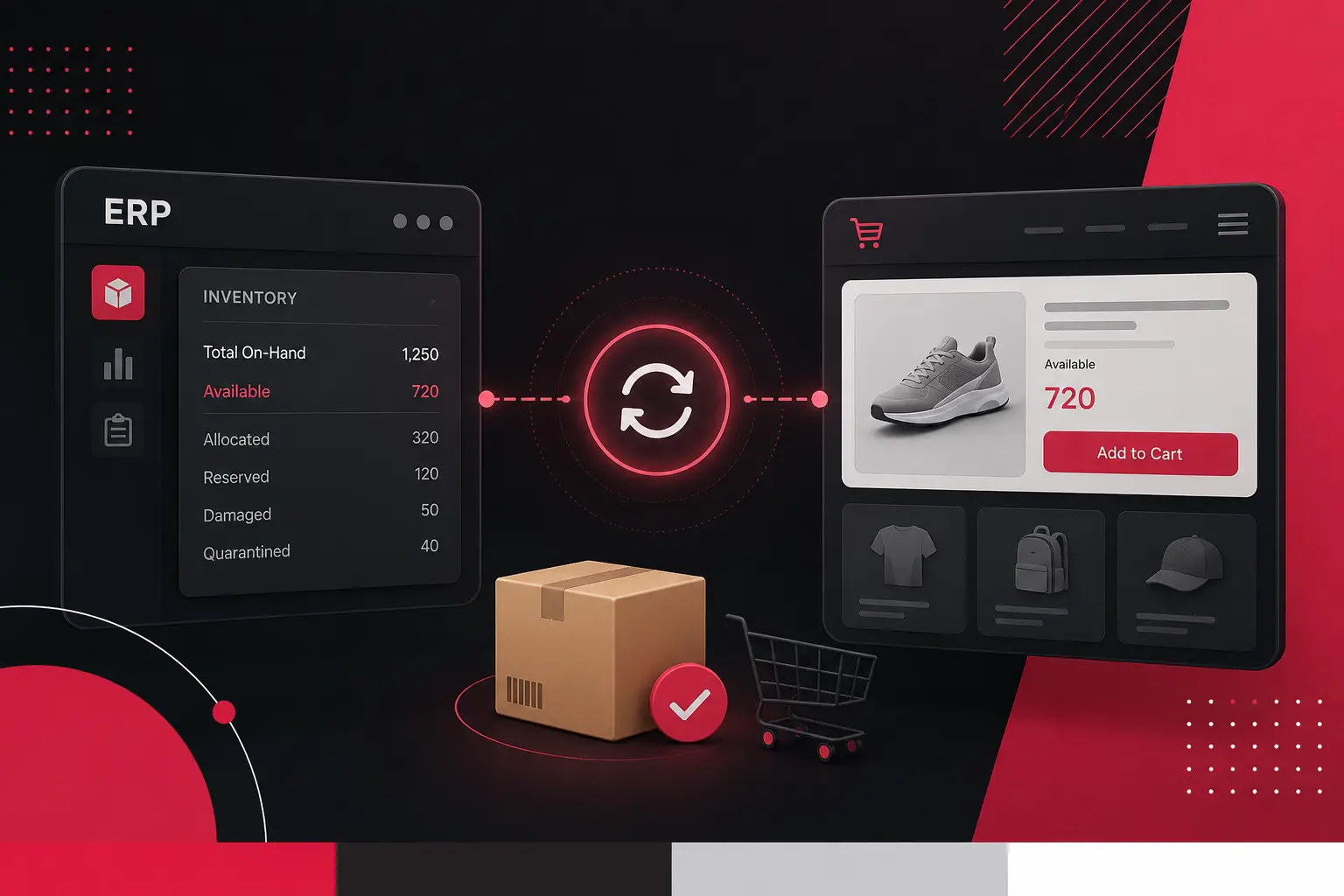
These change fastest, so copy-based updates fall behind first. A mismatch between the price in an ad and the price at checkout is a policy problem as well as a trust problem. For stock, the cure is a live connection between the store and the ERP, which we covered in our guide to real-time inventory sync between ecommerce and ERP.
Fix the Model Before You Buy a Tool
It is tempting to buy software and hope it cleans things up. A tool helps only after you decide how the catalog should be organized. Think in three layers:
1. Core fact
Things that are true everywhere: name, brand, identifiers, dimensions, materials, and base images. They live in one place.
2. Channel presentation
Things that change per channel: title style, category, extra attributes, and image sizes. These are derived from the core facts plus rules.
3. Rules and checks
Required fields, allowed values, and length limits. These catch errors before a channel does.
Next, choose where the core facts live. It might be the ERP, a dedicated product information management system (PIM), or your commerce platform. A PIM sits upstream of the store. Shopify’s own explanation of when a PIM makes sense lists the signals. Data comes from several systems. Channels need different formats. Several teams edit products. Built-in tools no longer cope. That is a vendor view, but the signals are reasonable.
You may not need one. If your catalog is small, lives on one platform, and you sell on one or two channels, the platform’s own tools can be enough. When you do need a layer, the choice between buying a PIM and building a catalog layer around your platform is a real one. We often recommend buying. Our digital commerce team builds the integrations either way.
Audit Twenty Products Before the Next Launch
You do not need to review the whole catalog to learn where you stand. Twenty carefully chosen products will show most of the problems.
1. Pick the sample
Choose your top sellers plus a few awkward products, such as ones with many variants or bundles.
2. List what the next channel requires
Use its current data specification, not a summary from memory.
3. Compare against your records
Mark every missing field, wrong format, and mismatched value.
4. Find the owner of each gap
Some fixes sit with merchandising, some with the ERP team, and some with suppliers.
5. Test a small feed first
Send the twenty products, fix what the channel rejects, and only then scale up.
Sometimes the audit reveals more than data problems. Slow syncs, brittle integrations, or a platform that cannot hold the attributes you need point to something larger. Our look at how we work with commerce teams is a place to start.
Conclusion: Aim for a Boring Launch
Every new channel will ask something new of your catalog. That is normal. What should not be normal is a launch that takes weeks of spreadsheet work and a month of cleanup afterward.
The cure is a catalog that separates core facts from channel presentation, with one clear owner for each field and rules that catch mistakes early. Start with twenty products, not the whole catalog.
The best sign you have fixed it is a dull one. The next channel goes live, the feed passes on the first or second try, and nobody has to stay late. Aim for a boring launch.
Send us one product and every place it appears. Screenshots are fine. We will show you where the versions disagree, what we think causes it, and whether a tool or a change in process would fix it. Book a Discovery Call →
Frequently Asked Questions
What is multichannel catalog management?
It is the work of keeping product information accurate and consistent across every place you sell, such as your website, marketplaces, shopping ads, and wholesale portals. It covers attributes, variants, identifiers, images, prices, and stock, and the rules for how each channel receives them.
Why do my product titles and prices differ across channels?
Usually because the same product is edited by hand in several places. A spreadsheet, the website, and a marketplace dashboard each hold their own copy, and nothing forces them to match. Without one source of truth and automated syncing, differences build up over time.
Do I need a PIM to sell on multiple channels?
Not always. If your catalog is small, lives mostly in one platform, and you sell on one or two channels, the platform’s own tools may be enough. A PIM starts to pay off when data comes from several systems, channels need different formats, or several teams edit products.
What is the difference between a PIM and my ecommerce platform?
Your ecommerce platform shows products to customers and handles checkout. A PIM works upstream of it, where product data is collected, enriched, approved, and then sent to the platform and other channels. The platform is the shop window, and the PIM is the stockroom paperwork.
How long does it take to add a new sales channel?
It depends on how clean your product data is. With consistent attributes and identifiers, a new channel can be a mapping exercise. With scattered data, most of the time goes into fixing records. An audit of your top products before you start shows which case you are in.
Can Shopify handle a multichannel catalog?
For many stores, yes. Shopify handles products, variants, and several sales channels well at moderate complexity. Problems tend to appear with rich attributes, many markets, strict approval workflows, or product data that originates in other systems. At that point, a layer upstream of the store helps.