Step By Step Guide To Git Rebase Command

LN Webworks
·
04 Sep, 2025
Imagine you’re working on a new feature for a project. You create a separate branch from the main codebase to develop this feature without affecting the main code. When your feature is complete, you need to integrate your changes back into the main branch. This is where Git offers two options: merging and rebasing.
At its core, Git rebase serves as a method to reapply a series of commits onto a different base commit. Unlike the conventional Git merge, which creates a new commit to merge branches, Git rebase fundamentally alters the commit history, resulting in a linear sequence of commits.
The fundamental syntax of the Git rebase command is succinct:
git rebase <base>
This directive instructs Git to rebase the current branch onto the specified <base> branch.
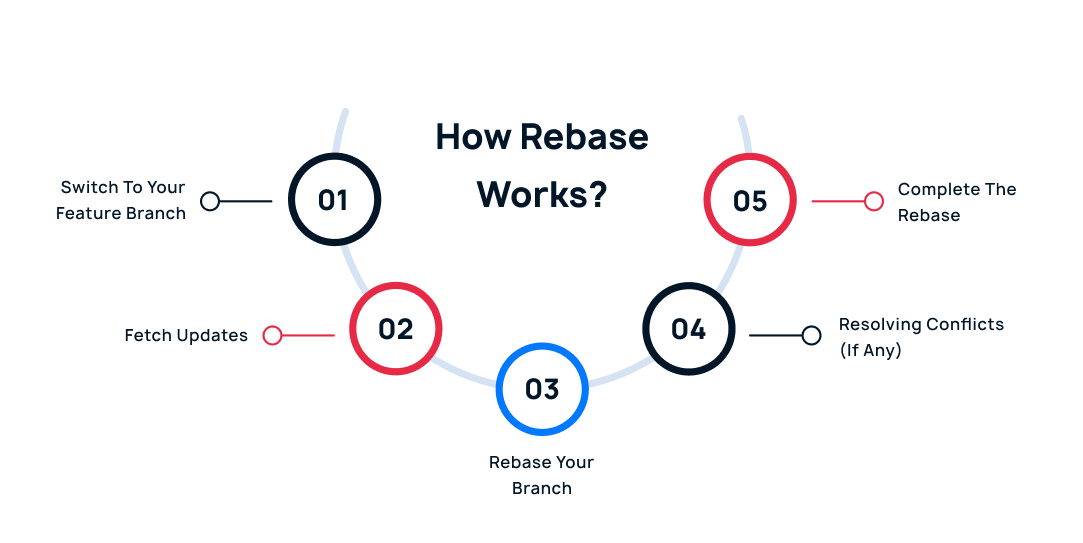
Use the Git checkout feature to navigate to your feature branch.
Ensure you have the latest changes from the main branch with Git fetch origin.
Execute Git rebase origin/main. This replays your feature branch commits on top of the latest main branch.
Rebasing might encounter conflicts if your changes overlap with edits made in the main branch. Git will halt the process and present you with the conflicting code sections. You need to manually edit these sections to resolve the conflicts and tell Git how to proceed.
Once all conflicts are resolved, use Git rebase –continue to finish replaying your commits.
This is the simpler approach. Here, Git creates a new commit that combines the changes from your feature branch with the latest changes in the main branch. This leaves a clear record of where your feature branch diverged and merged back in.
master ---- A --- B --- C (main branch)

                 /

feature ----- D --- E --- F (your feature branch)
merge commit (combines changes)
This rewrites history a bit. It replays your feature branch commits on top of the latest changes in the main branch, essentially moving your feature branch’s starting point. The result is a linear commit history, making it seem like you developed your feature on top of the latest code.
master ---- A --- B --- C --- D --- E --- F (all commits appear linear)
                                         (your feature branch commits replayed)
Interactive rebase (Git rebase -i) empowers developers to meticulously manipulate commits before integrating them. This interactive mode facilitates actions such as squashing, reordering, or even rewriting commit messages, thereby fostering a cleaner and more coherent commit history.
Example:
To squash the last three commits into a single commit during an interactive rebase:
git rebase -i HEAD~3
Subsequently, replace pick with squash or s for the commits slated for consolidation.
Conflict resolution is an inevitable aspect of the rebase process, occurring when Git encounters divergent changes that cannot be automatically merged. Git halts the rebase operation, prompting developers to address conflicts manually before proceeding.
Example:
Upon resolving conflicts, the changes are staged and the rebase is resumed:
git add <resolved-files>

git rebase --continue
If you encounter issues during the rebase and want to abandon it, use Git rebase –abort to revert the process and go back to the state before the rebase began.
git rebase --abort
While Git rebase furnishes developers with a potent tool for sculpting a pristine and linear commit history, its judicious application is paramount. Clear communication and a thorough understanding of its nuances are imperative to navigate the intricacies of Git rebase effectively within a collaborative development environment. Armed with this knowledge, developers can wield Git rebase as a formidable ally in their quest for streamlined and coherent version control workflows.
At LN Webworks, our experts are always prepared to help you make it happen. Get in touch with us right now to schedule a free consultation.

 Other, SaaS Development
SaaS CRMs win on speed. Custom wins on fit and ownership. This isn’t a pitch for either one. Every early-stage SaaS company hits this decision within the first year, usually right after the founder realizes a spreadsheet isn’t a CRM. The default answer is almost always a SaaS CRM: HubSpot, Salesforce, Zoho, sign up in […]
 Other
Other
Most “audits” and “assessments” promise clarity but deliver a sales deck with language that lacks clarity. You book the call expecting evidence about your specific platform, and what shows up is a generic pitch for whichever package is easiest for the firm to sell. That’s the actual reason process transparency matters here, not because a […]
 Other
Other
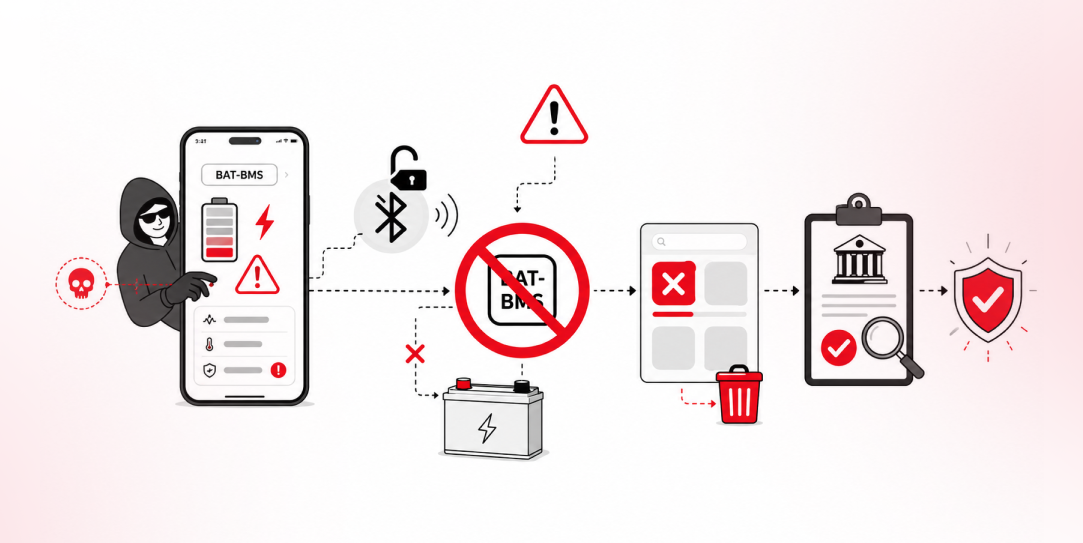
In late June and early July, videos started circulating on Instagram of people walking up to moving e-rickshaws, tapping a phone, and watching the vehicle lose power mid-ride. It spread as a prank trend before anyone fully understood the mechanism. Drivers in Patna (India) reported it first, assuming mechanical failure, until investigators traced it to […]