Voice Search Optimization & Set Up for Drupal: A Step-by-Step Setup Guide!
 LN Webworks
·
04 Sep, 2025
LN Webworks
·
04 Sep, 2025

Drupal voice search has evolved from being a mere trend to becoming a standard feature for websites today. If you find yourself wondering, ‘How do I enable search based on voice recognition on my Drupal website?’ — you’re in the right place.
Integrating voice search functionality into your Drupal site is not only modern but also enhances user experience and is extremely important for SEO ranking. In this blog post, we’ll walk you through the steps to set up search based on voice recognition, making your Drupal site more accessible and user-friendly. But before we dive into the steps, let’s understand…
How Does Adding Drupal Voice Search Can Help Your Business?
Making your Drupal website voice search-friendly can lead to higher conversion rates due to its simplicity and enhanced user experience. When users can effortlessly speak their queries to the search bar instead of typing, it becomes more convenient for them to find the products or services they need. This increased convenience translates into an improved overall experience on your website, which, in turn, positively impacts web traffic, conversions, and ultimately, revenues.
As stated in DrupalCon Nashville 2018, “Becoming voice-first is going to be the new mobile first.” This means that understanding how search engines accurately respond to vocal queries and optimizing your content accordingly will significantly influence the user experience on your Drupal site. A great user experience is the key differentiator that sets high-ranking websites apart from the rest in the online landscape.
Here’s How You can Modify Your Content to Address Voice Search Queries Effectively
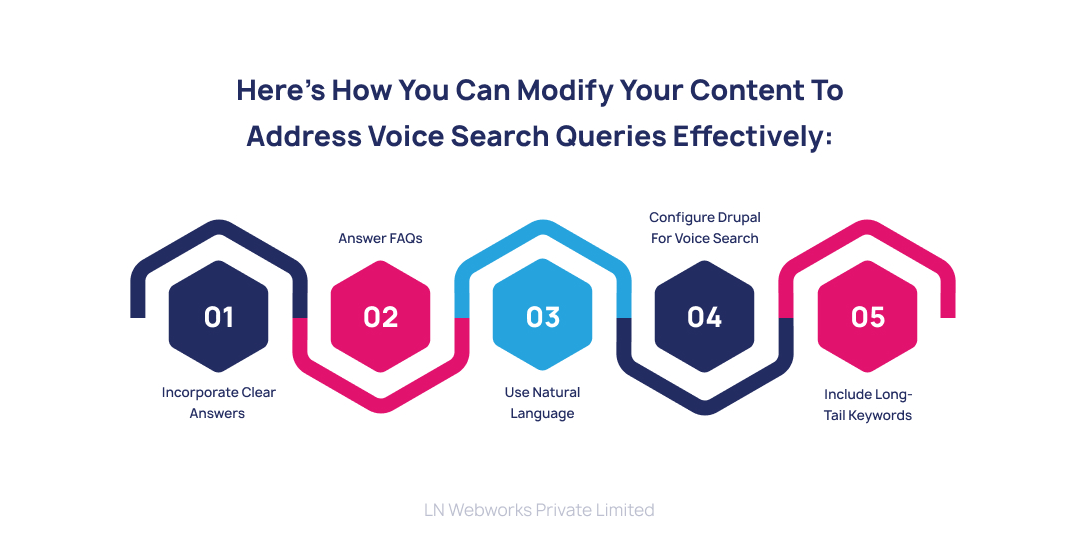
To ensure your Drupal site is well-optimized for voice search, consider implementing these essential SEO techniques.
-
Begin by incorporating short, clear answers into your content, limiting responses to 30 words as recommended by Backlinko.
-
Fine-tune your FAQ page, recognizing its pivotal role in search engine responses.
-
Opt for natural language in your content creation, mirroring how users engage with a search bar conversationally.
-
Figure the configuration of Drupal for voice search, particularly optimizing content for Google’s featured snippets, with detailed insights available in valuable MOZ blog posts.
-
Center your voice search strategy around question keywords, such as “How to…”, “What to…”, and “Why use…”. Additionally, integrate (really) long-tail keywords—those with five or more words—into your content to capture specific user queries effectively.
By implementing these techniques, your Drupal site can align with the nuances of voice search, delivering concise, relevant answers and improving overall user interaction.
And now, let’s get down to the main question…
How Can You Setup a Drupal Voice Search Engine in Simple Steps?
Creating a custom voice search engine for your Drupal site with Expertrec is easy. Here are the step-by-step instructions:
Requirements
Ensure you have a Google Tag Manager account, a Gmail ID, access to your Drupal admin dashboard, and a valid sitemap.
Create Expertrec Account
Sign up on https://cse.expertrec.com??platform=cse using your Gmail ID.
Install Google Tag Manager
Log in to your Drupal admin panel and install Google Tag Manager using the module available at https://www.drupal.org/project/google_tag.
Configure Google Tag Manager
Enter your Google Tag Manager ID in the Drupal admin panel and save the configuration.
Get Code from Expertrec
Access https://cse.expertrec.com/csedashboard/home/code and copy the provided code.
Add Code to Google Tag Manager
Add the first part of the code to your Google Tag Manager control panel using the Custom HTML option.
Configure Trigger
Configure the trigger to place the code on all web pages where you want voice search enabled.
Add Search Box to Header
In Drupal, go to Structure -> Block layout -> Header -> Place block -> Add custom block.
Click on the “source” option and enter <ci-search></ci-search> (select “full HTML”). This code will display a search box in your website’s header.
Save Configuration
Hit the Save button to apply the changes.
Enable Voice Search
Navigate to UI customization -> Features -> Enable voice search.
Let’s Wrap It Up!
In summary, adopting Drupal voice search is crucial for modern websites, enhancing user experiences and boosting SEO rankings. By implementing key SEO techniques and setting up a custom voice search engine with Expertrec, your Drupal site can stay ahead in the evolving online landscape.
As voice-first interactions become prevalent, these efforts not only improve user-friendliness but also contribute to higher conversions and overall business success. To get started with the Drupal voice search activation of your website, trust none other LN Webworks, your trusted and recognized Drupal development service provider. Reach out to our team of experts today and let’s grow together!
Author