How to use Ultimenu in Drupal
 LN Webworks
·
16 Sep, 2025
LN Webworks
·
16 Sep, 2025
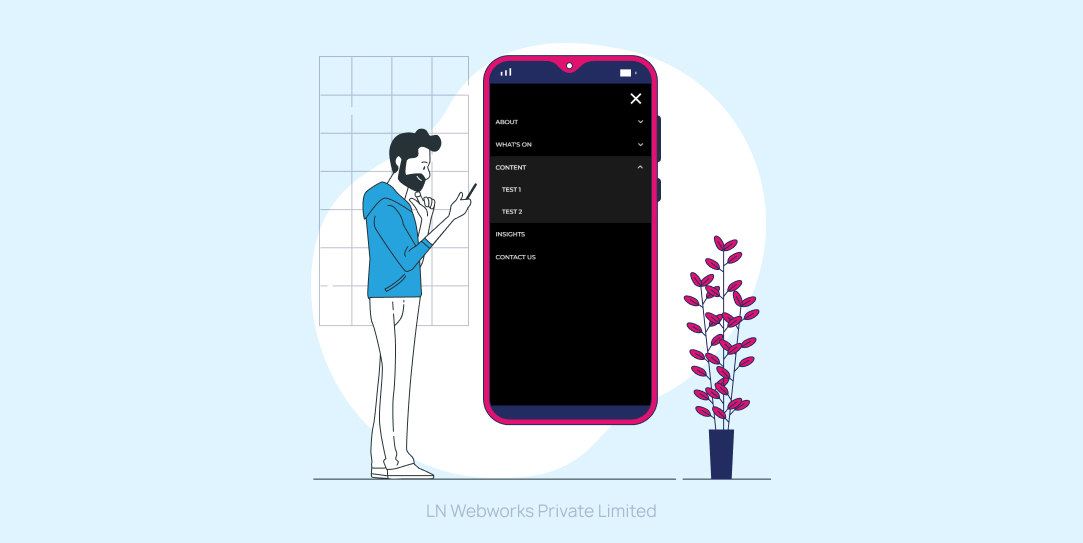
What is Ultimenu?
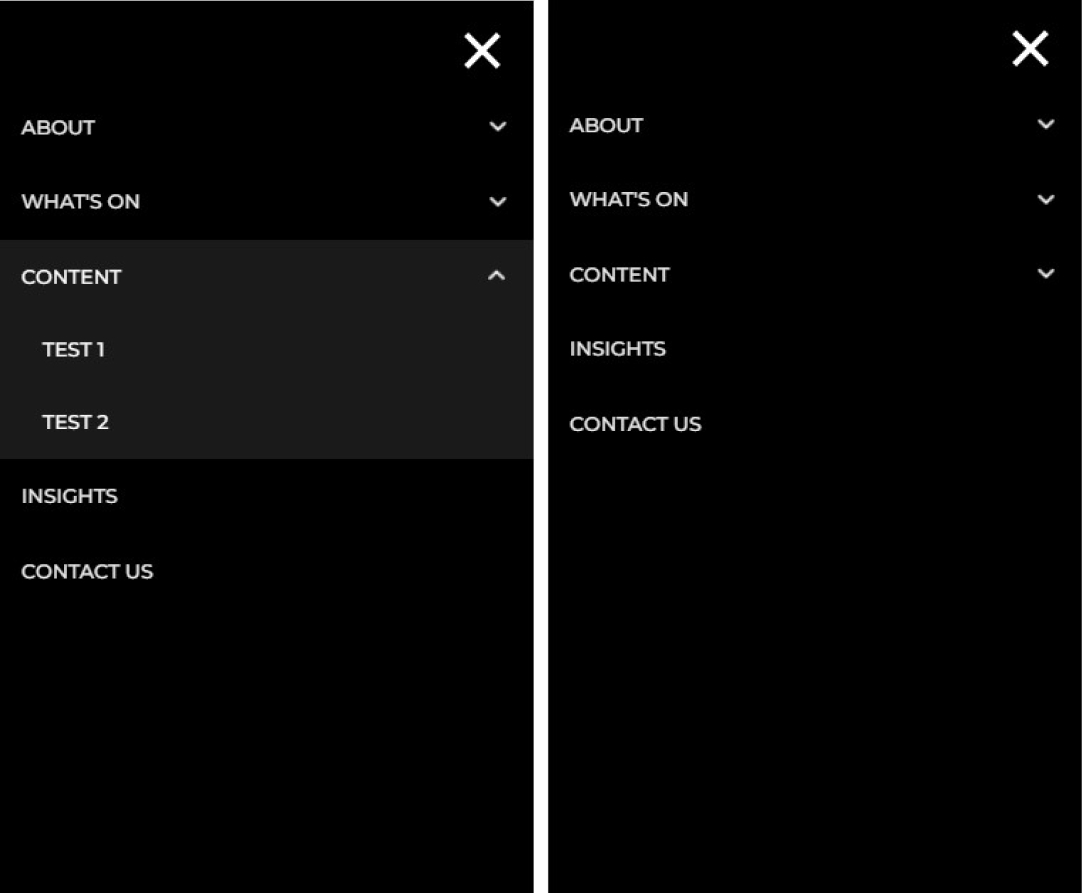
Ultimenu is the UltimatelyDeadSimple megamenu ever with dynamic region creation. An Ultimenu block is based on a menu. mainly we used Ultimenu to create the mobile menus in Drupal. Ultimenu regions are based on the menu items. The result is a block contains regions containing blocks, as opposed to a region contains blocks.
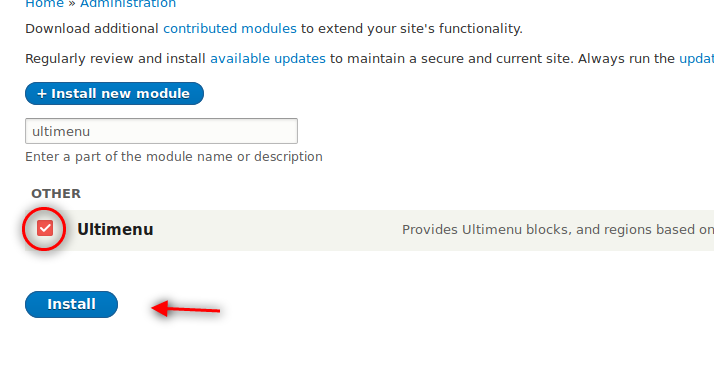
How do we install Ultimenu?
Install the module with composer:
run command:
composer require ‘drupal/ultimenu:^2.11’
After downloading, click extend and enable the module. No further dependencies are required.
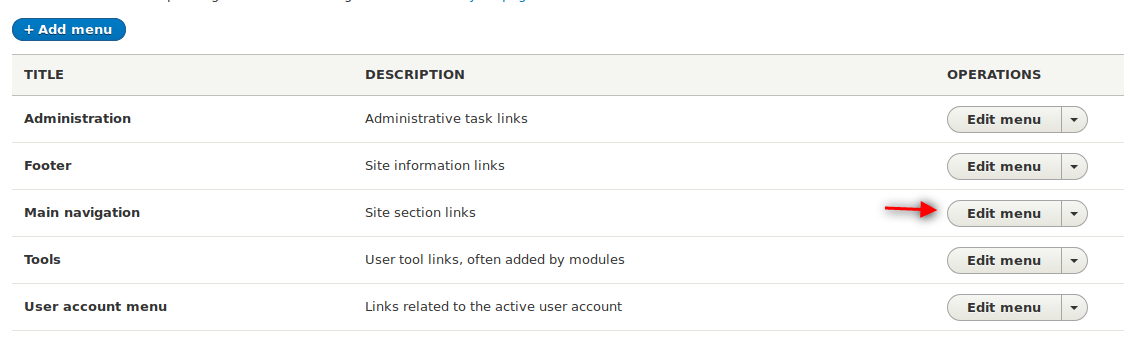
Create the menu
To create the menus we need to follow the following steps:
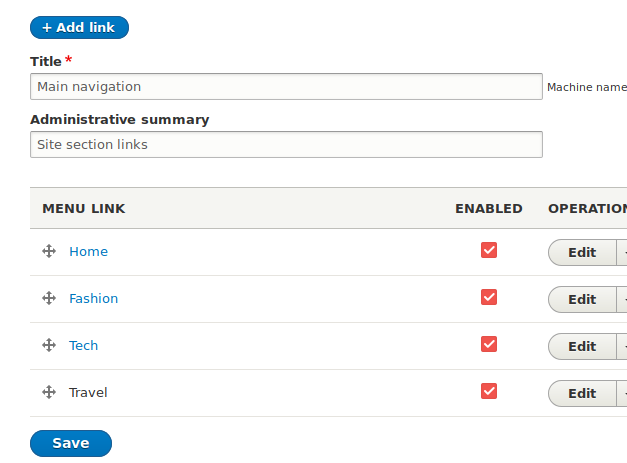
- Click Structure > Menus.
- Look for the Main Navigation
- Click the edit menu.
- Click the Add link button
- Add the first level menu items
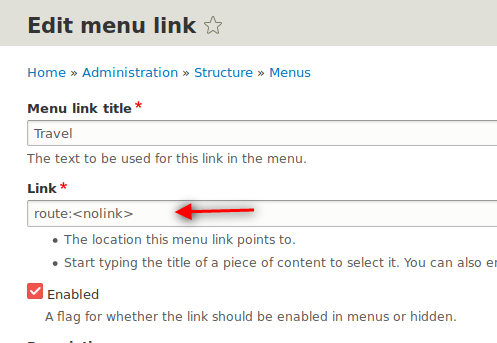
The Travel link points to route:<nolink>. This parent element is only there to contain other elements:
How to configure Ultimenu?
Steps:
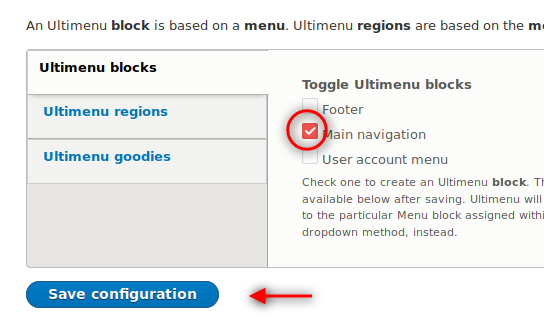
- Click Structure > Ultimenu.
- Tab select Main navigation in the vertical Ultimenu blocks.
- Click Save configuration.
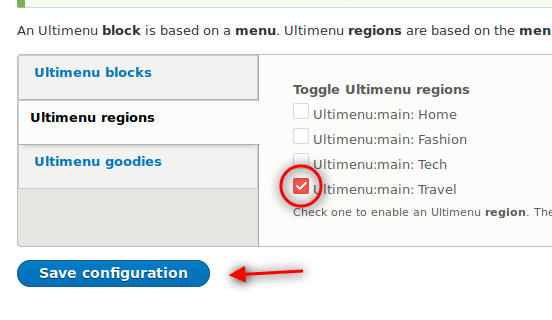
- Click Ultimenu regions.
- Select Ultimenu:main: Travel
- Ultimenu will create this region dynamically in the Block Layout page so that you can place blocks in it.
- Click Save Configuration
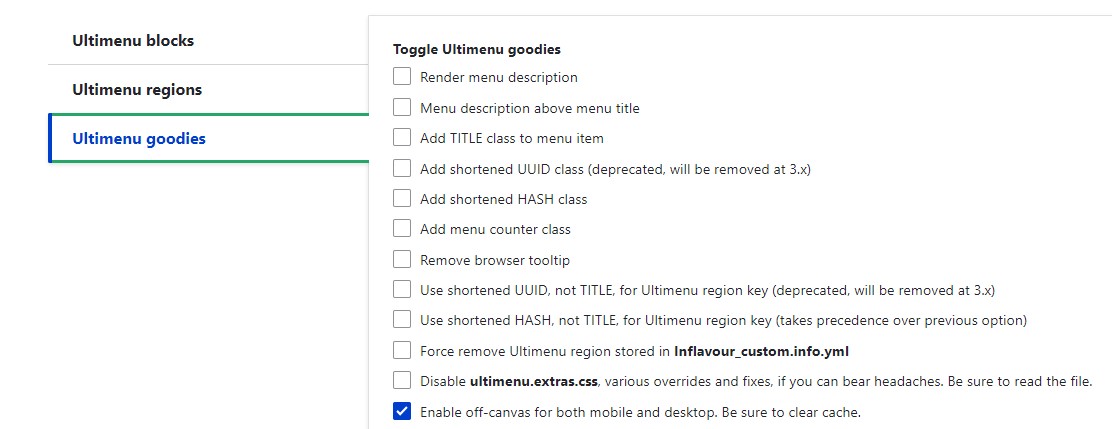
To show the ultimenu for mobile & desktop, we need to enable the below configuration, there are several configurations available you can use them according to our requirements.
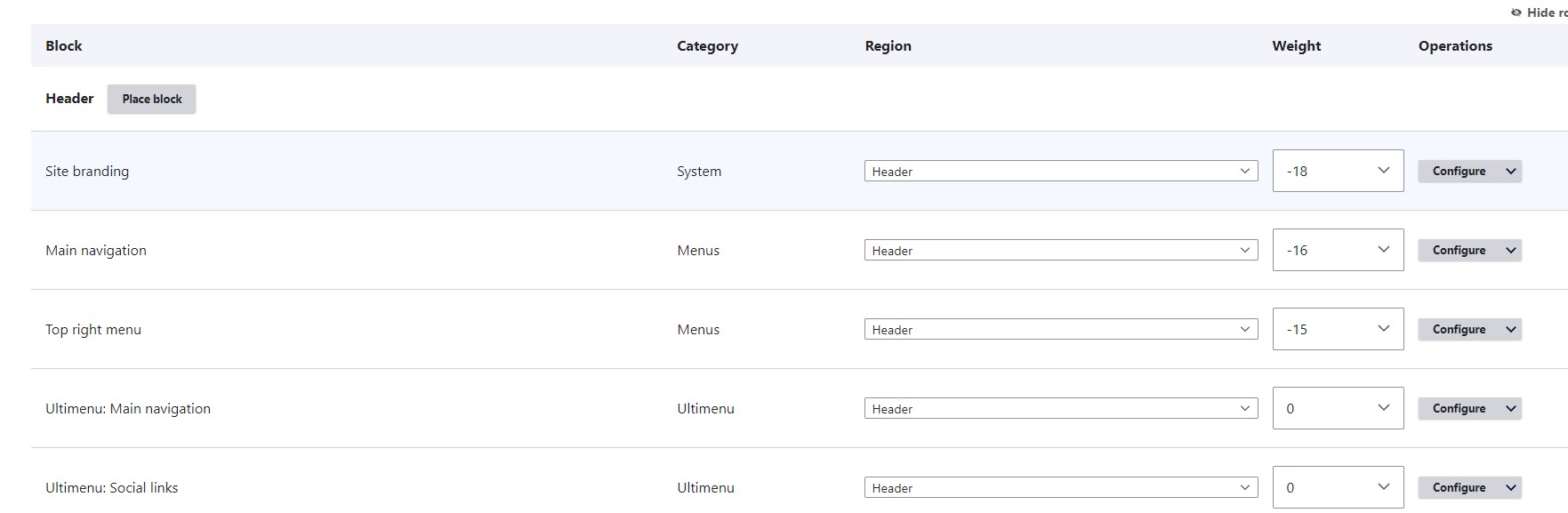
Place the Ultimenu block
- Click Structure > Block layout.
- Place the Ultimenu: Main navigation in the Navigation (collapsible) region.
- Uncheck the Display title.
- Click Save block.
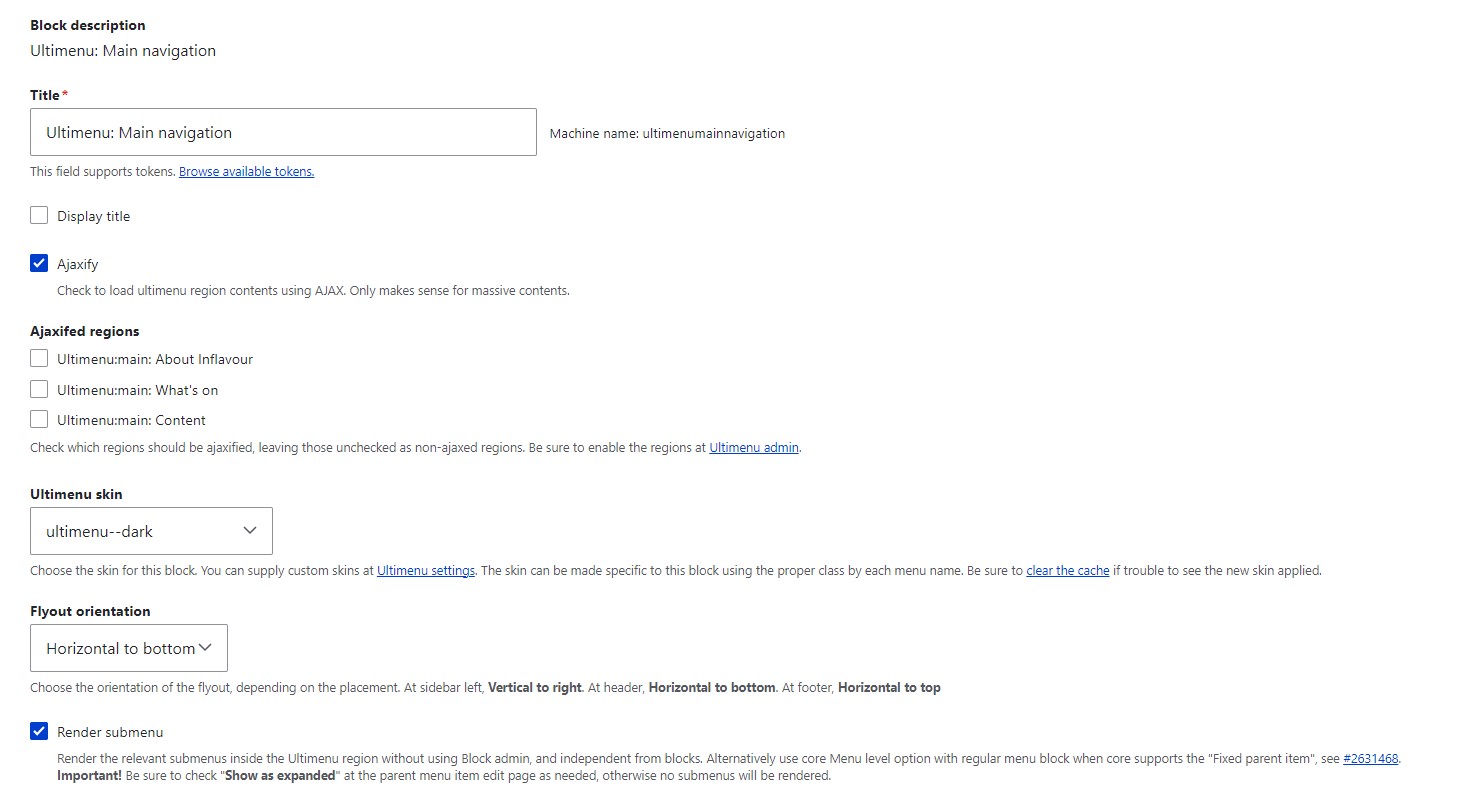
Configure the Ultimenu main navigation block
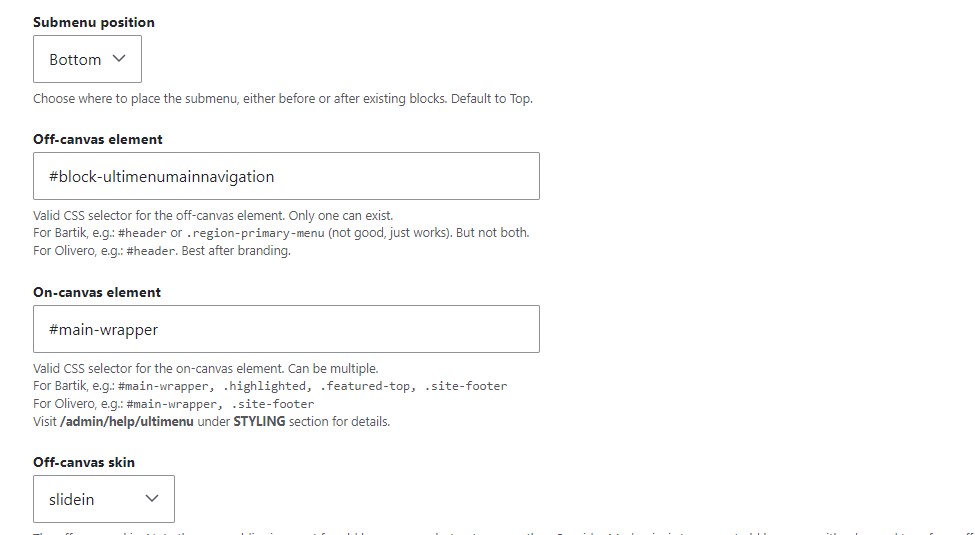
Here we need to update the Off-canvas element & On-canvas element ID as per our header structure. We can also manage the menu slide-in position for mobile screens. For this, we need to select the option under the off-canvas skin and flyout orientation.
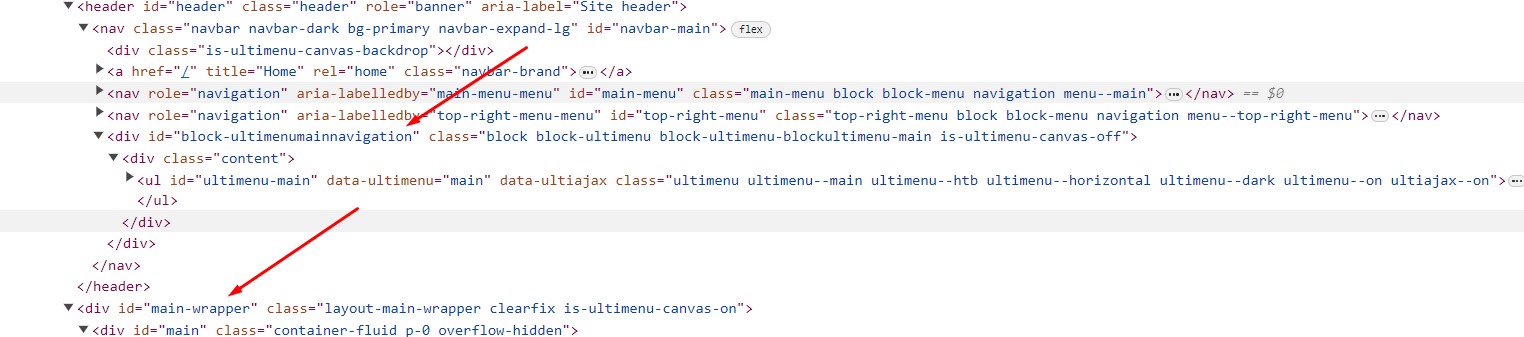
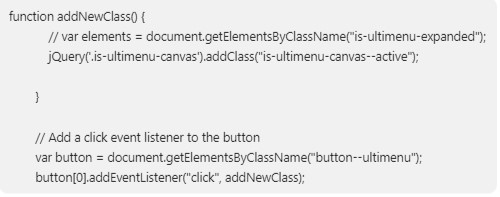
If you are using ultimenu:^2.11 then you need to add the class “is-ultimenu-canvas–active” on the body tag. for this use the below provided js code in your custom.js file. you can also overwrite ultimenu js as per our requirement.

Let’s Wrap It Up!
You just learned how to use the Ultimenu module in Drupal. it’s a solution that improves and streamlines your web-building experience. Take advantage of this module and build your dream website with LN Webworks Today’s.
Author