Drupal Translation Module: How To Setting Up A Multilingual Site
 LN Webworks
·
04 Sep, 2025
LN Webworks
·
04 Sep, 2025
It typically occurs when you click on a website and become disinterested in utilizing it because there are no language preferences. In addition, you will be more interested in browsing the website if you can easily navigate its user interface and select your preferred language, regardless of where you live.
According to some reports: Multilingual websites can reach 75% more internet users and improve user experience, as 60% of global consumers prefer browsing in their native language. Businesses with such websites see a 70% average increase in conversion rates. That’s why it is preferred that you create a multilingual website to help with website traffic and your business strategy. The Drupal translation module might assist you in improving your website even more.
What Does A Multilingual Website Mean To You?
Multilingual refers to being written or accessible in multiple languages. Users from diverse nations are more likely to connect with multilingual websites because they instantly offer a familiar actor. Drupal makes creating a multilingual website simple and relaxing. At that moment, Drupal allows translation into 100 different languages.
The installation interfaces include multilingual Drupal functionality. Upon installation, Drupal offers a language choice to use on your Drupal website based on your preferred browser. The website is set up in that specific language according to the option that was chosen. For both content and language translation, it essentially offers four separate Drupal translation modules. Verify that you are running the most recent version of Drupal to take advantage of its integrated multilingual features.
The Four Essential Translation Modules For Drupal
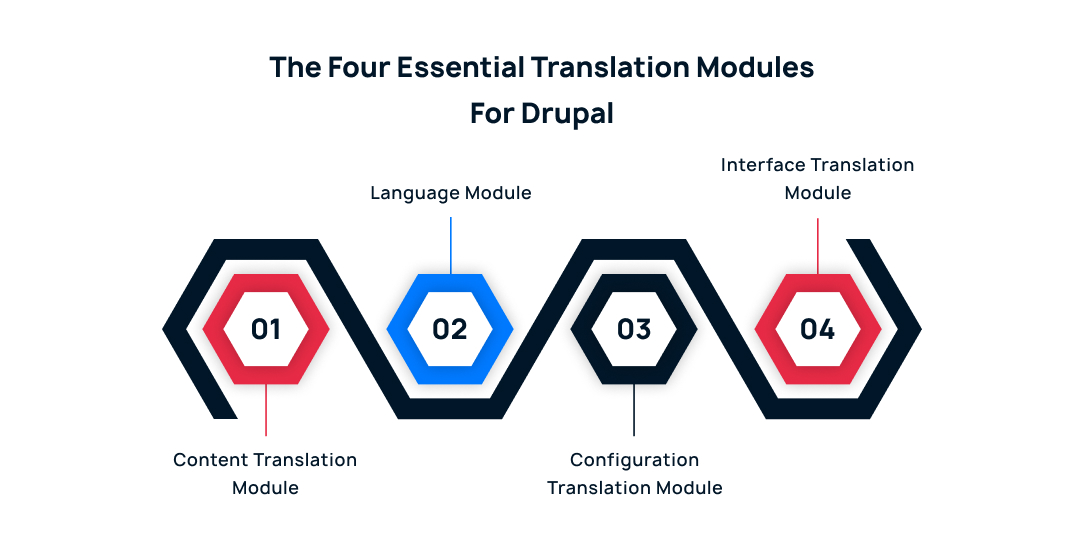
Content translation module
All the content types you wish to be multilingual, enable content translation. To set up content translation options, click to-
Configuration>Regional and language>Content language and translation
- You may translate content entities like feedback, customized blocks, contents, taxonomy keywords, users, etc. with this Drupal translation module.
- It enables you to translate many languages for the pages, taxonomy words, blocks, and other material on your website.
Language module
To adjust the language setting, go to
Configuration>Regional and language>languages
This is where you add, enable, and set up languages for your website. Numerous languages are supported by Drupal right-of-the-box.
- It offers an option for you to select and add language to your Drupal website.
- Lets users set up the languages, choose the page languages, and apply the languages to the content.
- Allow any (or more) non-English language to be used in the content of your website.
Configuration translation module
Language translation of configuration is possible with the help provided by the Drupal configure translation module. This Drupal module makes it simple to convert the webpage name, module name, and other configurations.
- Offers a configuration translation interface.
- Enables you to translate configuration-related text, including field labels, site names, view names, and text used in views.
Interface translation module
Like any other Drupal translation module, the Drupal interface translation module is a component of the core module and is simply enabled. Any string in the interface can be changed to a customized string when this Drupal multilingual module is enabled.
To handle interface translations, go to
Configuration>Regional and language>Interface translation
- Translates your added modules, themes, and the built-in user interface.
Quality control and testing
Make sure that interface translations, content translations, and language switching function properly on all pages and languages by thoroughly testing your multilingual Drupal website. Make sure that all localized content is appropriate and acceptable for the context, and pay special attention to the user experience.
Let’s Wrap It Up!
Strong Drupal views translation modules provide developers with the ability to configure content entities at the granular level, enabling translation of each one. Giving developers and users the option of using Drupal in their language is a challenge that Drupal CMS has risen to in particular. Drupal’s main translation modules make it simpler for developers to install and adjust to a multilingual environment while still offering businesses excellent online experiences.
Being a top Drupal development company, we offer a full range of Drupal services, including creating multilingual Drupal websites to meet the demands of our clients.
Author