Implementation Of Open Social Distribution On A Local Server In Drupal
 LN Webworks
·
17 Sep, 2025
LN Webworks
·
17 Sep, 2025
Open Social, a tool within the Drupal community, is actually quite valuable for creating social platforms. It’s user-friendly, flexible, and well-supported, making it perfect for setting up social networks, whether they’re for internal company use or for the public.
With features like user profiles, activity feeds, group discussions, events, and messaging, Open Social offers a comprehensive solution for building engaging online communities.
It’s important to spread the word about Open Social so that more people can benefit from its features and capabilities, ultimately enhancing collaboration and communication in various settings.
What is Open Social?
Open Social is a software platform that’s open to everyone and is built on top of Drupal, which is a popular system for managing website content. It’s designed specifically for creating online communities and social networks.
Some reasons to contribute:
- Skill Improvement: It provides a hands-on learning environment where you can improve your coding, documentation, and collaboration skills.
- Global Reach: Your contributions can benefit users, making a positive impact on diverse online communities and social networks.
Why opt for Open Social?
Open Social is really easy to use, making it perfect for creating social media spaces that suit specific groups perfectly. Here’s why it’s a great choice:
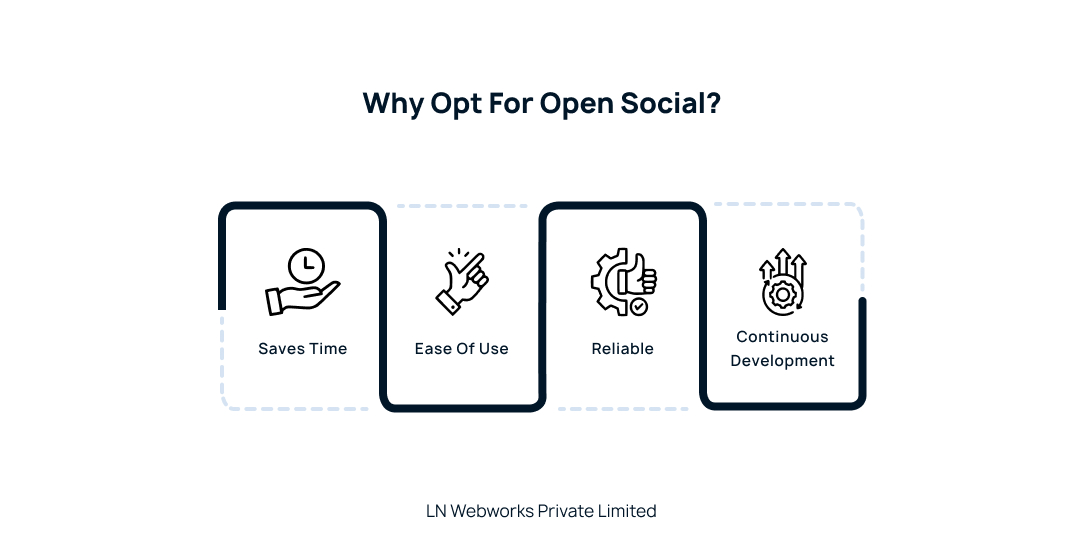
- Saves Time: Instead of starting from scratch, Open Social comes with ready-to-use core modules, so you can set up your social space much faster.
- Design Freedom: You can customize your space exactly how you want it. With Bootstrap integration, you can make sure it looks just right for your brand or group.
- Reliable: Open Social is built on a strong foundation. It got things like Entity API and Search API built in, so you can trust it to work smoothly without any hiccups.
Overall, Open Social is a simple and reliable solution for creating customized social media spaces.
How to integrate Modules into Open Social?
The modules in Open Social are chosen carefully to create a polished and effective package. This careful selection ensures that you get all the features you need without too much extra stuff. It also makes updating easy, so your experience using the site stays smooth and it works well.
- Token Bootstrap
- Profile Redirect 403 to User Login
- Better Formats
- Composer Manager
- Search API
- Dynamic Entity Reference
- Configuration Update Manager
- Open Social GraphQL
- Open Social JSON:API
A Step-by-Step Guide to Install Open Social
Requirements:
We use Composer for installing and updating Open Social.
Here, you can get Composer. You can also download it from drupal.org.
Server Requirement:
- Make sure you have a web server with PHP and a database server installed and configured. Here you can
- Make sure your PHP version meets the requirements specified by Open Social.
- As Open Social is a Drupal distribution, the usual Drupal system requirements also apply.
Download & Installation:
- Stop Cron (if applicable):
If you’re running a cron ensure it’s not running. Otherwise, you can skip this step.
- Install Composer:
If you haven’t already installed Composer, download and install it from getcomposer.org
- Navigate to Web Root Directory:
Open a terminal or command prompt and navigate to the directory where you want to install Open Social.
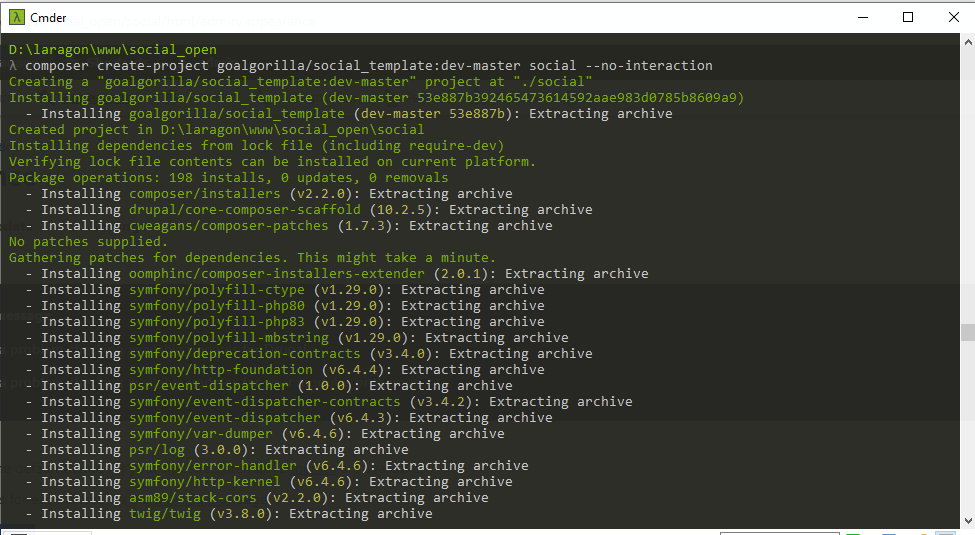
- Install Open Social:
Run the following command to create a new Open Social project using Composer:
composer create-project goalgorilla/social_template:dev-master DIRECTORY –no-interaction
Replace DIRECTORY with the name of the directory where you want to install Open Social.
For example: composer create-project goalgorilla/social_template:dev-master social –no-interaction
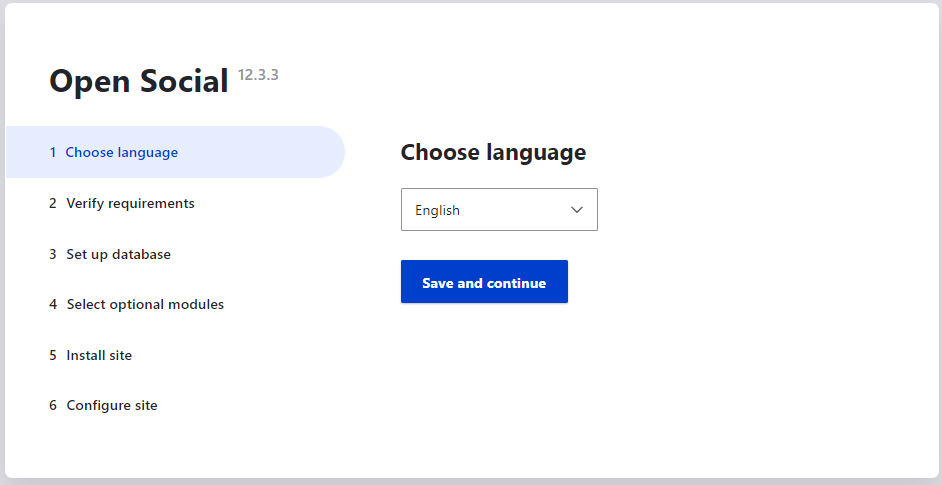
- Install Drupal Profile:
After Open Social is installed, you can install the Drupal profile using Drush or through the browser as usual. Assuming you have Drush installed and configured, run the following command:
cd DIRECTORY
drush -y site-install social –db-url=mysql://root:@localhost:3306/social
Adjust the database URL (–db-url) according to your MySQL configuration.
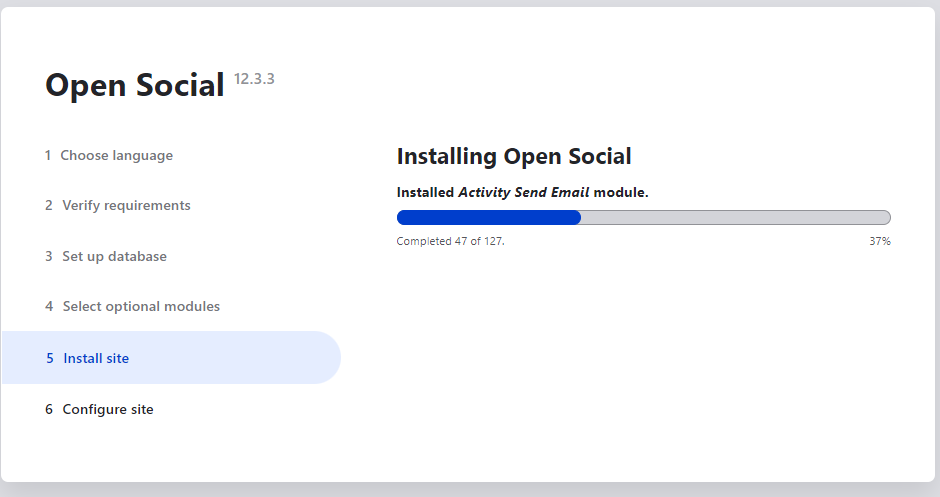
Rebuild Permissions:
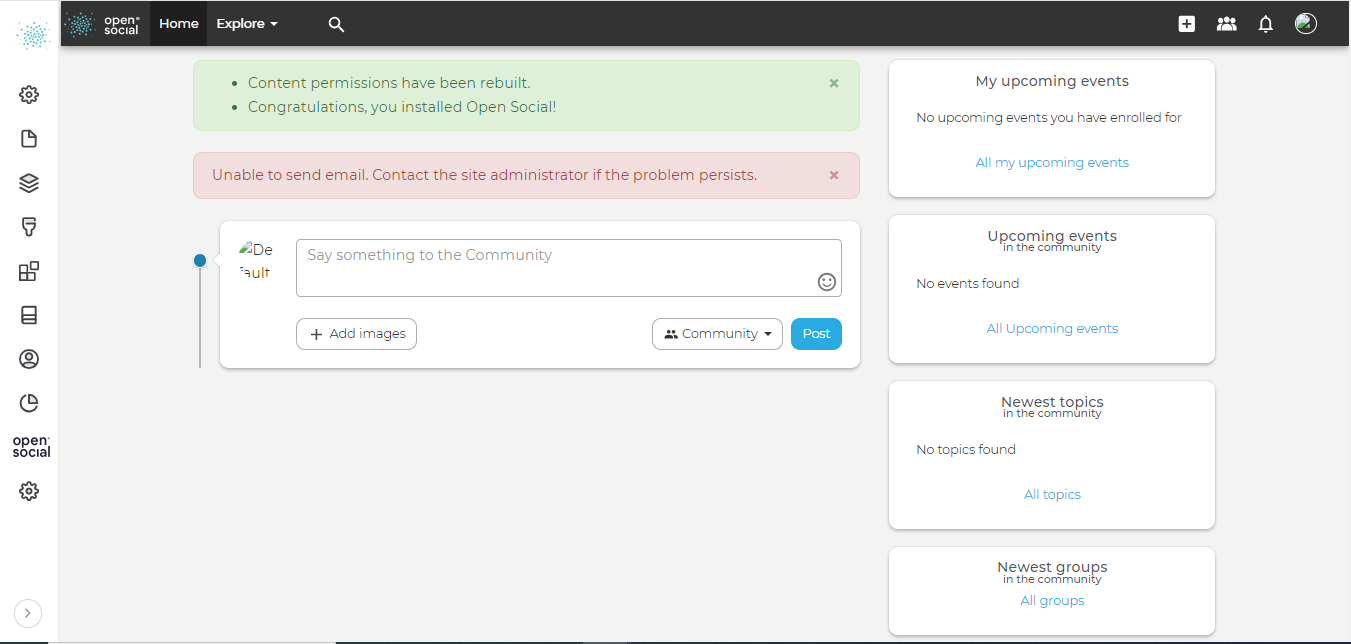
- After installation, it’s recommended to rebuild node access permissions. You can do this by going to admin/reports/status in your Open Social website and using the “Rebuild permissions” link.
- That’s it, the site is installed successfully!
- Either visit the Open Social website or GitHub repository to acquire the desired version. Download the distribution package, typically available in a compressed format such as .zip or .tar.gz.
Extract the Distribution
- Extract the downloaded Open Social package to a directory within your web server’s document root, if you are using zip file.
Set Up Database:
Create a new database for Open Social and a database user with appropriate permissions to access it.
Configuration:
Navigate to the root directory of your Open Social installation and Adjust the settings in settings.php according to your environment.
Configuration and Customization:
After installation, log in to your Open Social site as an administrator and configure additional settings through the admin interface. Customize themes, modules, and content types to suit your needs.
Maintenance:
Regularly update Open Social and its modules/themes to the latest versions to ensure security and stability. Stay informed about security advisories and updates from the Open Social community.
Let’s Wrap It Up!
Open Social is a user-friendly tool in Drupal, perfect for building social platforms for teams or communities. It offers lots of options for customization. While it may take some time to get familiar with all its features, it’s worth it for the powerful possibilities it unlocks. Setting up Open Social on your server gives you access to features like user profiles and group discussions, making it easy to create vibrant online communities. With its flexibility and rich features, Open Social is a great choice for anyone looking to create engaging social platforms.
At LN Webworks, our group of experts in Drupal are always prepared to help you make it happen. Get in touch with us right now to schedule a free consultation.
Author