The 8-Step Anatomy of a Successful UX Design Process
Pankaj Kumar
·
04 Sep, 2025
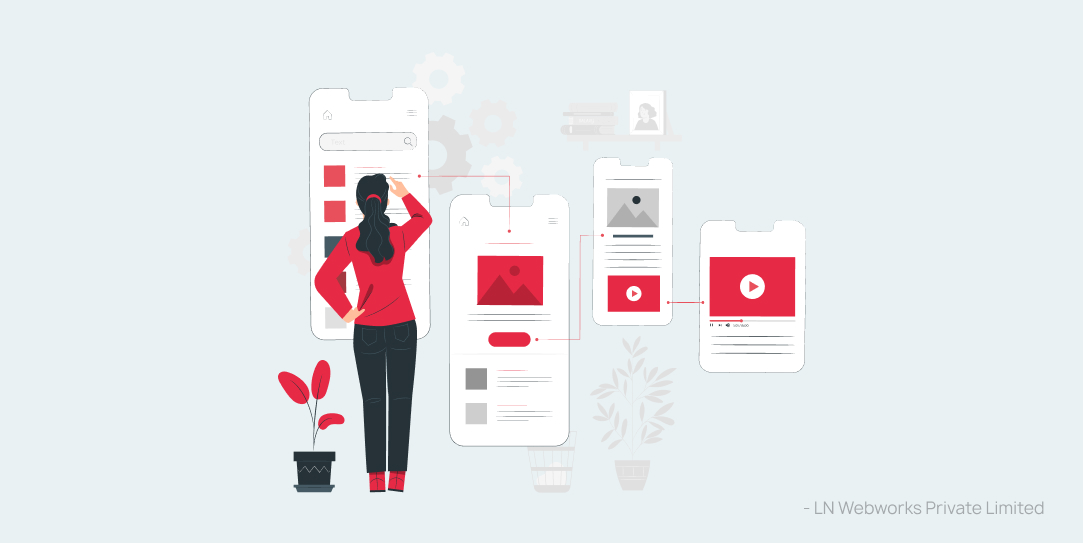
UX Design is a cornerstone of building user-centric websites and applications. The demand for UX designers around the globe has significantly increased and the graph seems to climb every year.
Why do you think that’s happening? It’s because building human-centric applications and websites is no longer an option. When UX design services combines with Drupal, a robust CMS, that makes it a deadly combination to make people choose your brand because of superior functionalities and user experience. But what is the exact UX design process? In the article, you will learn a simple (yet powerful) 8-step UX design process to implement in your business.
A UX design process is a systematic approach to creating user-centered designs and building websites and applications that aligns with users’ needs and preferences. Here’s the cache: A UX design process that worked for one business may not work for another business. For example, the UX process for building a travel website is different from that of building a matrimonial app.
That means you have to carefully analyze and choose a process that works for your business. But every successful design process is based on a foundational principle–Design thinking. Here’s how Tim Brown, an executive chair of IDEO, defines Design thinking: “Design thinking is a human-centered approach to innovation that draws from the designer’s toolkit to integrate the needs of people, the possibilities of technology, and the requirements for business success.”
Here are the 5 stages of design thinking:
Keeping this principle in mind, it’s possible to come up with a good enough UX design process that’s built to stand out and provide a superior user experience.
“You’ve got to start with the customer experience and work backward to the technology. You can’t start with the technology and try to figure out where you’re gonna try to sell it.” – Steve Jobs.
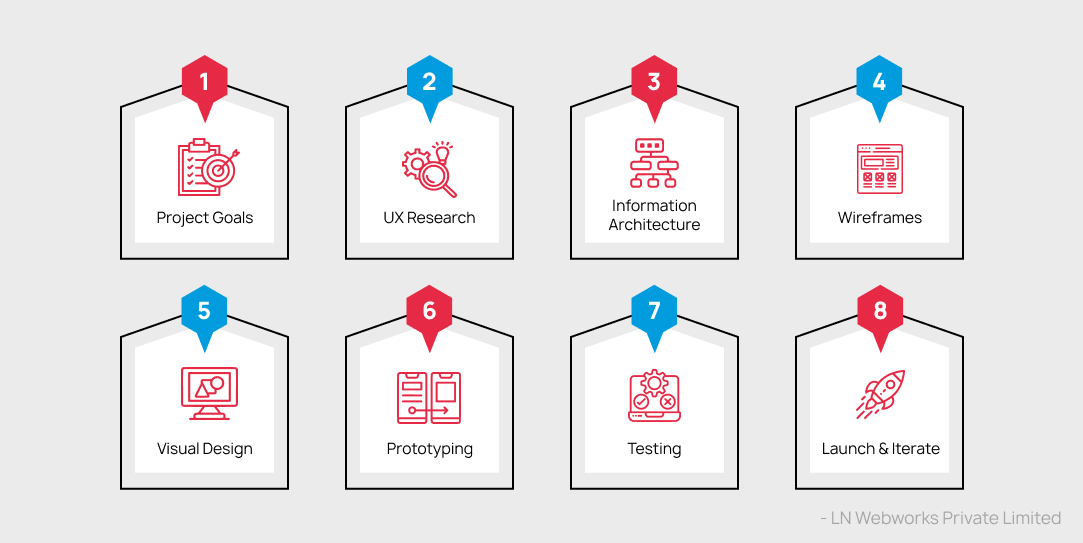
Before starting any UX project, it’s important to have clear goals and objectives that are centered around customer experience. UX designers usually start by interviewing key stakeholders and understanding their preferences and future goals. By doing this, there won’t be any unnecessary confusion or misunderstandings within the organization’s UX design team. In this step, designers also take into consideration the KPI (Key Performance Indicators,) limitations, and future scope of the UX-designed website.
The goal of conducting research is to deeply understand the target users–their needs, wants, problems, motivations, etc. Don’t assume anything about your target audience, because most of the time, our assumption is different from the market reality.
Conduct interviews with potential users and ask them the right questions to uncover deep insights. You can also conduct surveys and keep the questions neutral so that they can provide answers to specific questions and even provide elaborate answers to certain open-ended questions.
Information architecture (IA) is a structured methodology to organize, label, and present information to end-users in a website or application. The IA process involves creating a hierarchy of content, grouping related information, and designing a navigation system to help users to move between various pages within a website.
Drupal can also play a role in making IA efficient through the use of content types, taxonomy, and views. The content type will help designers define various content and create a consistent structure within the website. Taxonomy allows the creation of categories and tags for the content, and views allow the creation of custom lists and the display of content.
Wireframe is a visual representation of the upcoming website’s layout and structure. They are created using simple shapes and lines to show the placement, hierarchy of content, navigation, and other elements.
A similar wireframe approach is available in the Drupal–Layout Builder Module. The module consists of a drag-and-drop interface to create a custom layout for content types and arrange blocks of content by testing various layout options. This provides a starting point for designing the layout and structure of the site.
Once the Information architecture and wireframes are completed, visual elements such as color scheme, typography, images, icons, and other graphical elements are created in the UX design process. The aim of this is to create an aesthetically pleasing and cohesive visual experience for end-users, and also support the website’s branding and messaging.
Moreover, they heavily influence how users perceive the website’s functionality, usability, and overall value. The best part is that Drupal has built-in resources and a collection of interactive themes and modules that supports the UX visual design process.
Prototyping is a crucial phase where a functional and interactive model of the website or application is created to test its usability and functionality. Prototyping can be of two types: Low-fidelity (Clickable wireframes) and high-fidelity (coded prototype.)
UX designers can identify usability issues early on in the design process and gather data from users and stakeholders to ensure the final product meets their needs and expectations. The reduced risk of errors and usability issues that may occur during development is reduced which leads to a smoother and more efficient development process.
UX designers test the website or application to identify usability issues and gather feedback on user experience. Various tests such as user interviews, usability testing, A/B testing, and surveys can be conducted to identify the customer’s needs and preferences.
Designers conduct Usability tests which involve observing users as they complete tasks using websites or applications and gathering feedback on the experience. Designers conduct A/B testing to analyze two different versions of the website by segmenting the users to determine which version performs better. Finally, surveys help designers to get a quantitative response from users by asking them to provide ratings on specific aspects of the product’s features.
The website or application is finally launched into the market, but that does not mean the UX designer’s work is complete. The designers must monitor user behavior, gather feedback, and identify areas to improve the site.
Moreover, the team can validate their assumptions about the product and make data-driven decisions to stay relevant and meet the evolving user’s needs. Note that the iteration phase is an ongoing process of continual improvement to make a user-centered website and provide a high-quality user experience.
When you follow these 8-step UX design process (tailored to your business needs,) you can create digital solutions that are intuitive, efficient and provide great user experience. At LN Webworks, a Drupal development company, we take UX design seriously.
Our expert team has decades of experience creating user-centric websites that drive engagement, loyalty, and revenue. It doesn’t matter if you are planning to redesign your existing website or build a new site; we’re here to help. You can Contact us today to learn more about our UX design services and let us build a website for your brand that will provide an excellent user experience.

 Other
Other
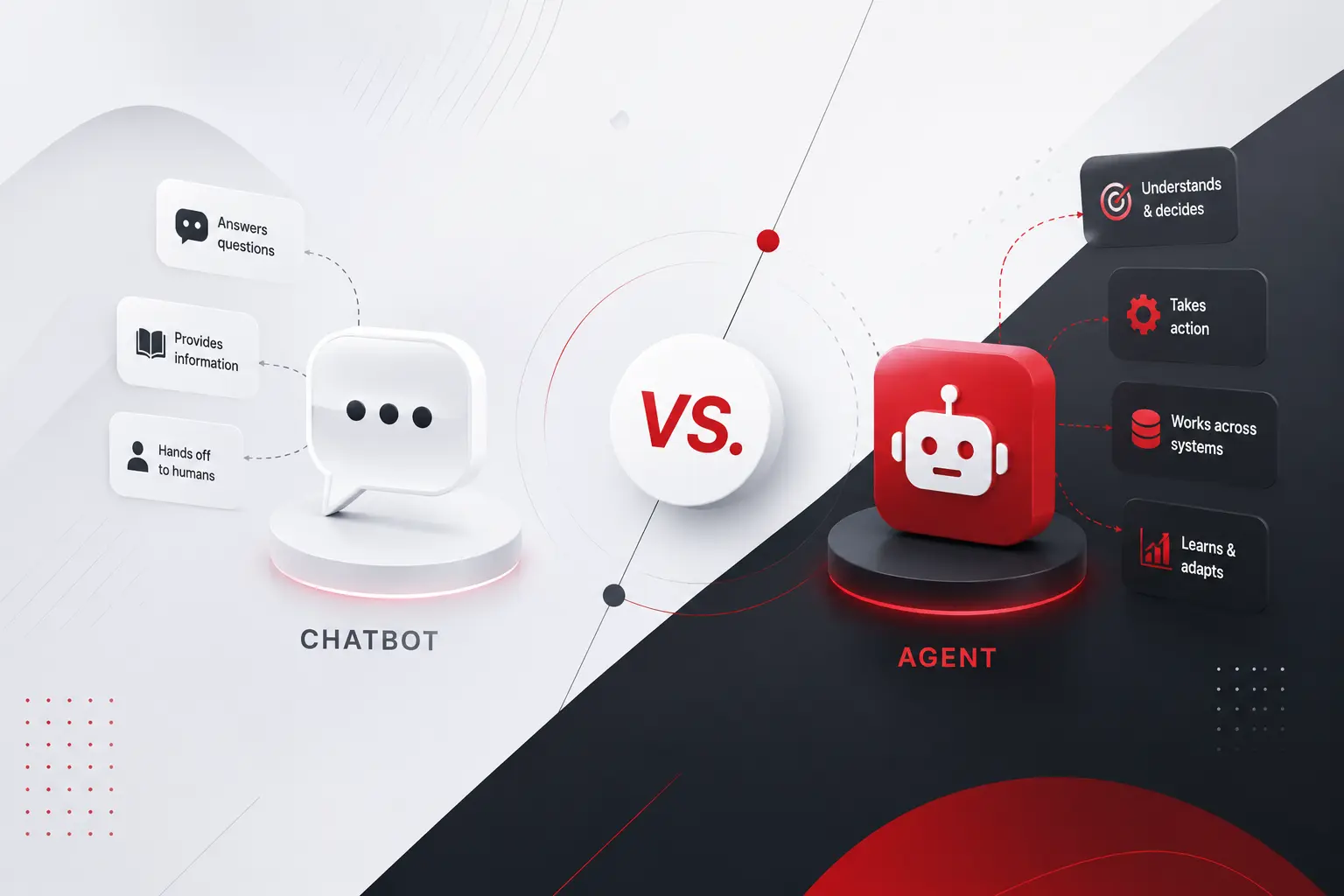
Call center chatbot. Virtual assistant. AI agent. Copilot. Half the vendors selling you software right now use these words interchangeably. The other half use them to mean completely different things, sometimes on the same product page. That confusion is not just annoying marketing copy. It changes what you should actually build, what it should cost, […]
 Other
Other
AI agent is being used right now to describe two very different kinds of software, and almost nobody stops to specify which one before asking what it costs. A scripted assistant that answers a fixed set of questions is called an agent. So does a system that plans, acts across multiple tools, and adjusts its […]
 Other
Other
Ask five agencies what a custom software project costs and you will get five variations of it depends. Technically, they are all correct. Practically, it is a useless answer to give someone trying to plan a budget, get a proposal approved, or figure out whether they are even in the right conversation before spending a […]