Upgrading from Drupal 8 to 9 Migration: A Step-by-Step Guide
 LN Webworks
·
17 Sep, 2025
LN Webworks
·
17 Sep, 2025
Drupal, a flexible and powerful content management system (CMS), has won the hearts of web developers and site owners alike. With the release of Drupal 9, upgrading from Drupal 8 has become a crucial step to ensure enhanced features, security, and long-term support.
In this blog, we present a step-by-step guide to facilitate a smooth and successful Drupal migration from Drupal 8 to 9. But before we get down to the steps of the Drupal 8 to 9 migration process, let’s understand why migration is important in the first place.
5 Reasons for Migrating from Drupal 8 to Drupal 9
While Drupal 8 has been a reliable and feature-rich platform, Drupal 9 offers a host of compelling benefits that make the upgrade worthwhile. Let’s understand the 5 reasons that make Drupal 9 Migration a must!
Enhanced Features and Functionality
Drupal 9 comes with numerous improvements, including a cleaner codebase, better performance, and updated dependencies. These enhancements translate to improved user experience and streamlined website management.
Long-Term Support
Drupal 8 reached its end-of-life in November 2021. Migrating to Drupal 9 ensures your website receives security updates and support for the long term, safeguarding it from potential vulnerabilities.
Better Performance
Drupal 9 utilizes the latest PHP and Symfony versions, resulting in better performance and faster load times, which is crucial for user retention and search engine rankings.
Smoother Migration Path
Upgrading from Drupal 8 to Drupal 9 is relatively easier compared to previous major version upgrades. The transition is seamless and less time-consuming. Future-Proofing Your Website: By staying up-to-date with Drupal’s latest version, you ensure your website remains relevant and adaptable to future technologies and trends.
3 Big Benefits of Upgrading to Drupal 9
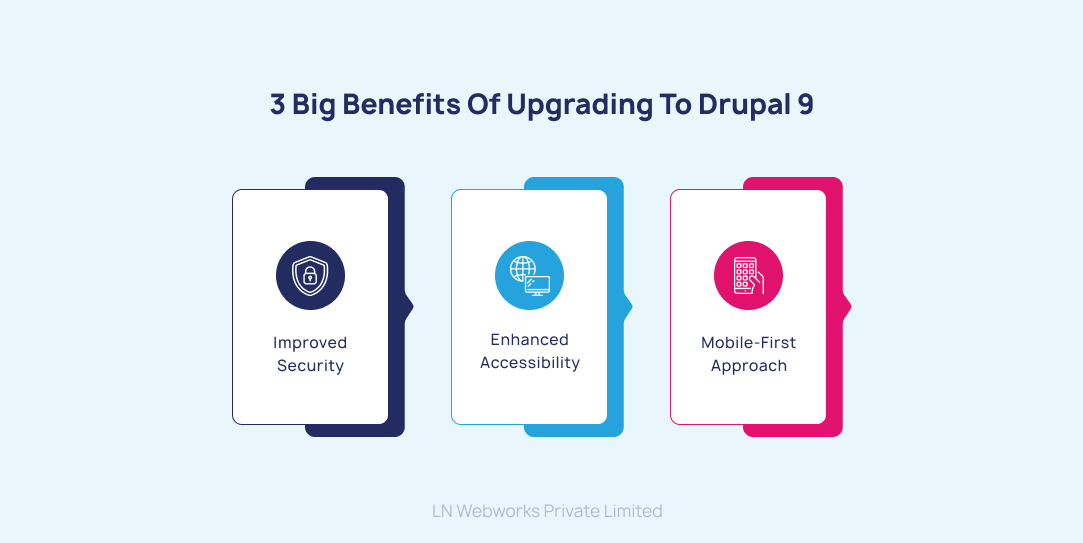
Let’s quickly delve into the perks that await you with the Drupal 9 migration and get down to the steps of migration.
1. Improved Security: Drupal 9 receives regular security updates, making it a safer choice for your website. The removal of deprecated code in Drupal 9 enhances its security posture further.
2. Enhanced Accessibility: Drupal 9 is designed with accessibility in mind, complying with industry standards and guidelines, making your website more inclusive to all users.
3. Mobile-First Approach: Drupal 9 prioritizes responsive design and mobile-first development, ensuring your website delivers a consistent experience across various devices.
7 Easy Steps to Migrate to Drupal 9
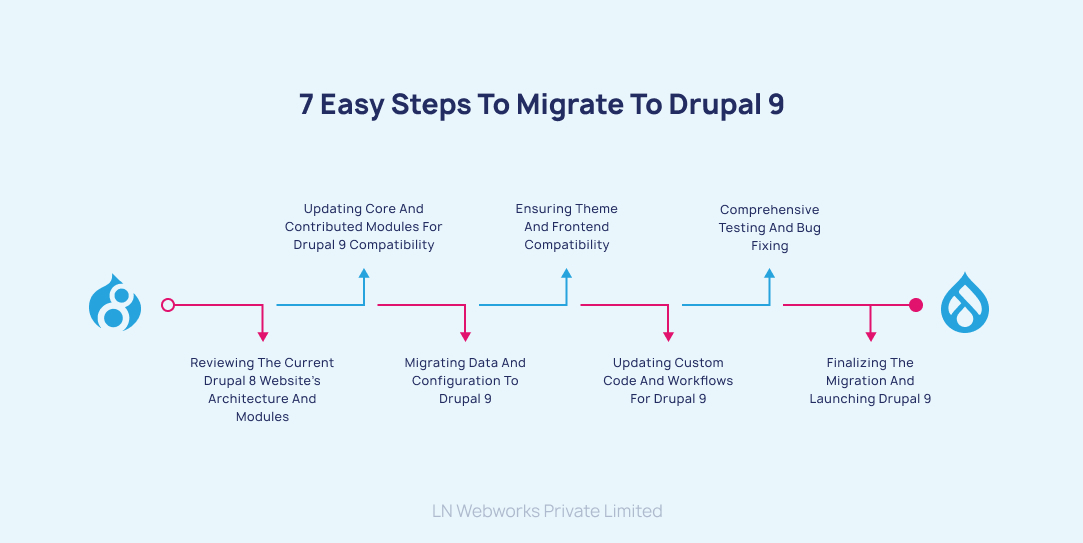
Step 1: Reviewing the Current Drupal 8 Website’s Architecture and Modules
Examine your Drupal 8 website’s architecture, noting the custom modules and themes in use, as well as third-party contributed modules. Create an inventory of these components to help plan the migration.
Step 2: Updating Core and Contributed Modules for Drupal 9 Compatibility
Update all contributed modules to their latest versions, ensuring they are compatible with Drupal 9. Replace any deprecated functions or APIs to avoid issues during the migration.
Step 3: Migrating Data and Configuration to Drupal 9
Use the Drupal Upgrade module to perform the data and configuration migration from Drupal 8 to Drupal 9. This module helps retain content, users, taxonomy, and configurations during the transition.
Step 4: Ensuring Theme and Frontend Compatibility
Review your website’s theme and frontend components to ensure they are compatible with Drupal 9. Adjust any CSS, JavaScript, or templates as needed for a seamless user experience.
Step 5: Updating Custom Code and Workflows for Drupal 9
If your website utilizes custom code, update it to adhere to Drupal 9’s coding standards and best practices. Verify that custom workflows, such as content publishing, permissions, and user roles, are functioning correctly after the migration.
Step 6: Comprehensive Testing and Bug Fixing
Thoroughly test your Drupal 9 website, including functionality, content display, and user interactions. Identify and fix any bugs or issues that may have emerged during the migration process.
Step 7: Finalizing the Migration and Launching Drupal 9
Once you are satisfied with the testing results and have resolved all issues, finalize the migration and launch your Drupal 9 website for the world to see.
3 Things to Check When Migration Fails
1. Look out for common issues that arise during the migration process, such as incompatible modules, missing dependencies, or data integrity problems.
2. If a module is causing issues during the migration, check for updated versions or consider finding alternative modules that are compatible with Drupal 9.
3. In the event of a critical failure during migration, be prepared to roll back to the Drupal 8 version using the backup you created earlier. Investigate the cause of the failure and address the issues before attempting the migration again.
Let’s Wrap Up!
Migrating from Drupal 8 to Drupal 9 is a vital step to ensure a secure, feature-rich, and future-ready website. Upgrading offers improved performance, enhanced security, better content authoring experiences, and mobile-first design, along with continued community support. However, the whole migration process can be a complex endeavor, often requiring expert assistance to ensure a seamless transition.
At LN WebWorks, we specialize in providing comprehensive Drupal 9 migration services that cater to the unique needs of your website. Partner with us now and take your website to new heights with our Drupal 8 to Drupal 9 migration expertise.
Author