How To Create Custom Token In Drupal: Step By Step Guide
 LN Webworks
·
15 Apr, 2026
LN Webworks
·
15 Apr, 2026
In Drupal 10, you can create custom tokens using your custom module. Before creating custom tokens, you need to have the Drupal tokens module installed on your Drupal site. This contributed module already comes with some predefined tokens. These defined tokens can be used globally.
Steps to Create the Drupal Custom Tokens
1. Begin by creating a yourmodule.module file in your custom module directory.
2. Establish your custom token type.
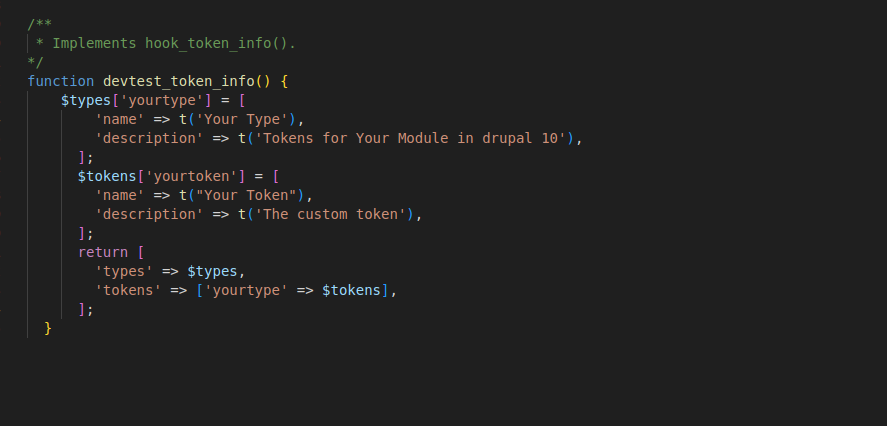
yourmodule. module /**
* Implements hook_token_info().
*/
function devtest_token_info() {
$types['yourtype'] = [
'name' => t('Your Type'),
'description' => t('Tokens for Your Module.'),
];
$tokens['yourtoken'] = [
'name' => t("Your Token"),
'description' => t('The custom token'),
];
return [
'types' => $types,
'tokens' => ['yourtype' => $tokens],
];
}
3. Define the token replacements.
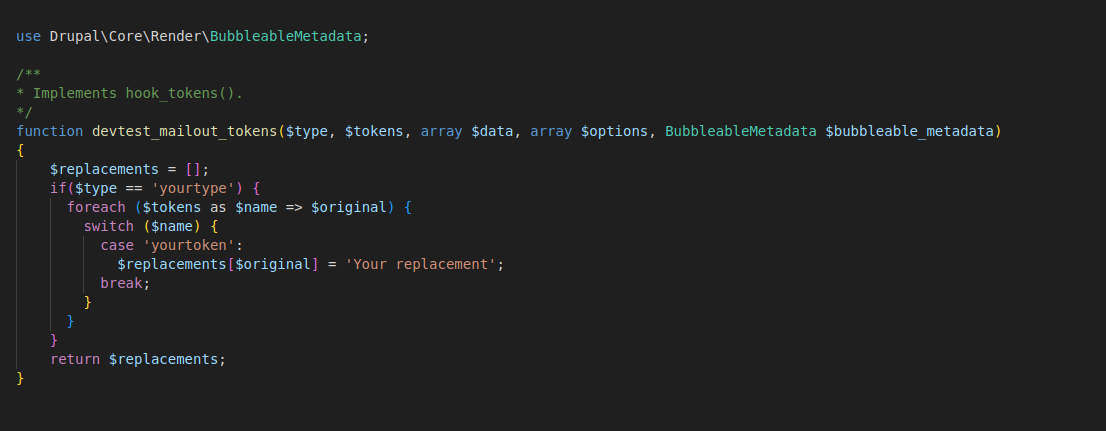
yourmodule.module
use DrupalCoreRenderBubbleableMetadata;
/**

* Implements hook_tokens().

*/

function devtest_mailout_tokens($type, $tokens, array $data, array $options, BubbleableMetadata $bubbleable_metadata)

{

$replacements = [];

if($type == 'yourtype') {

foreach ($tokens as $name => $original) {

switch ($name) {

case 'yourtoken':

$replacements[$original] = 'Your replacement';

break;

}

}

}

return $replacements;

}
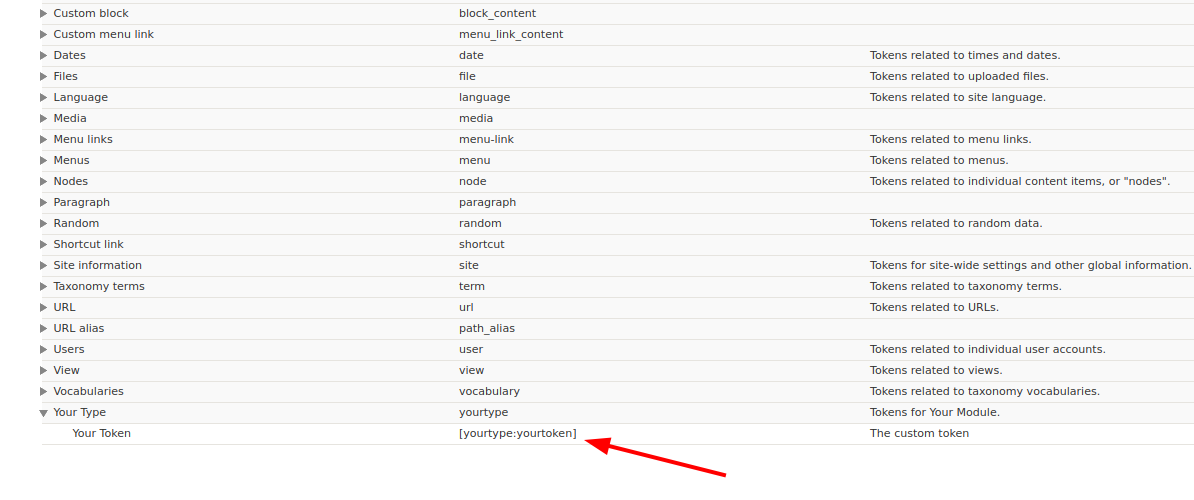
4. Apply your custom token within your module or any field or text area by inserting [yourtype:yourtoken] into the text.
Here is the token display in the Drupal.
Let’s Wrap It Up!
Drupal 10 offers the flexibility to create custom tokens using your custom module, enhancing the extensibility and customization capabilities of your Drupal site. Before delving into custom token creation, ensure the Drupal Tokens module is installed, as it comes with predefined tokens ready for use.
Are you prepared to Create Custom tokens in Drupa projects? Leading Drupal development firm LN Webworks is here to assist you with it. Reach out to us right now to see how our proficiency with Drupal can elevate your project to new heights.
Author